
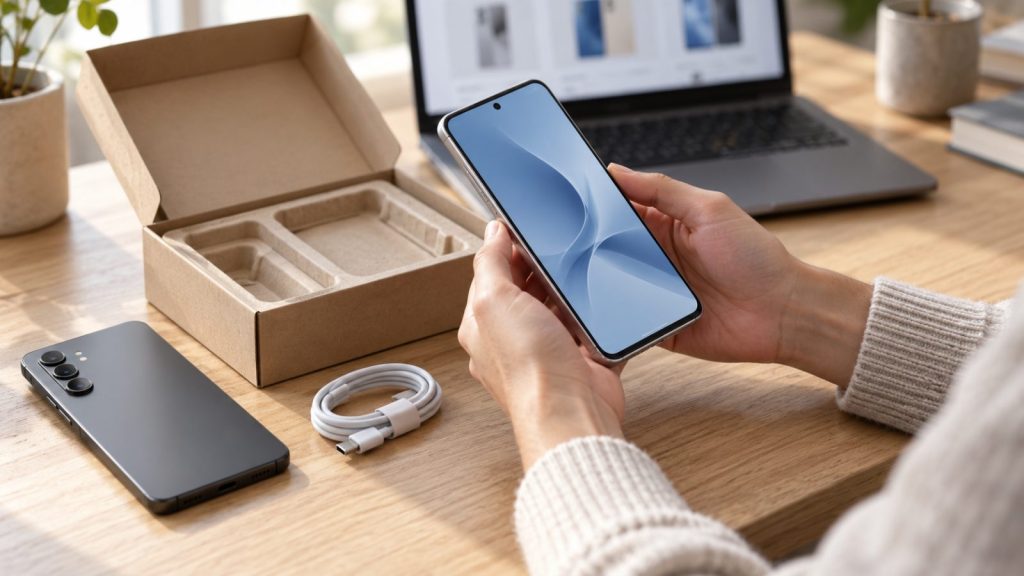
Buying a refurbished phone online can help you get the features you need without paying the price of a new device. However, two listings for the same model can offer very different value.
One phone may have more visible wear, while another could come with a different battery standard, warranty or return policy. Product photos and condition labels rarely tell the whole story.
Before placing an order, ask these questions to understand exactly what you are buying.
1. What Does “Refurbished” Mean to This Seller?
Refurbishment processes vary between sellers. A refurbished listing may involve inspection, testing, cleaning and repairs where necessary, but you should check what the seller actually does.
Ask which functions are tested and whether faulty components are repaired or replaced before sale. Useful checks include the touchscreen, cameras, microphone, speakers, charging port, buttons and wireless connections.
Do not assume that “refurbished” means manufacturer-certified. If certification matters to you, ask who provides it and what it covers.
2. What Condition Will the Phone Arrive In?
Labels such as “excellent,” “good” and “fair” help shoppers compare devices, but grading systems are not universal.
Read the seller’s condition descriptions carefully. Does the grade allow scratches on the screen, marks around the frame or dents on the body? Are the images photographs of the actual device or examples of the model?
Ask whether the grade describes appearance only or includes other standards. A phone’s cosmetic condition does not, by itself, explain its battery condition or repair history.
If visible wear matters to you, request clarification before ordering.
3. What Battery Standard Does the Seller Promise?
Battery condition can make a noticeable difference to everyday use. A phone with a worn battery may need charging more frequently, even if its other features work correctly.
Ask whether the seller has a minimum battery-health standard and how it is assessed. Also check whether the battery is original, previously replaced or replaced during refurbishment.
If the listing promises a new battery, ask what that means and whether battery-related faults are covered by the warranty.
Avoid assuming that every refurbished phone comes with a new battery. The seller should explain its policy clearly.
4. Have Any Parts Been Replaced?
Replacement parts are not automatically a reason to reject a phone, but knowing about them helps you make an informed choice.
Ask whether the display, battery, cameras or other components have been replaced. Where available, request information about the type of parts used and whether the phone displays any parts or service warnings.
Confirm that features important to you work correctly, including fingerprint recognition, facial recognition and automatic screen brightness where supported.
If you are paying more for a particular feature, make sure it is included in the seller’s testing.
5. Is the Phone Unlocked and Suitable for My Network?
A familiar model name does not always identify the exact version of a phone. Devices sold in different countries can have differences in network support, SIM arrangements and other features.
Ask for the model number and confirm whether the phone is unlocked. Check that the exact version is suitable for your carrier, including calling support, rather than relying only on a general statement that it supports 4G or 5G.
If you need a physical SIM, eSIM or dual-SIM functionality, confirm those details before purchasing.
6. Are Account Locks and Device Restrictions Removed?
A phone should be ready for its new owner to set up.
Ask the seller to confirm that previous-owner account locks have been removed and that the device is not subject to an organisation’s management restrictions. Also ask whether it has been checked for lost or stolen status.
These checks matter because a phone can switch on and appear functional while still presenting problems during activation or setup.
A clear answer is especially useful when buying from a seller you have not used before.
7. Will It Support the Apps and Software I Need?
A low purchase price is less appealing if the phone cannot run your essential apps.
Check the operating-system version supported by the exact model and whether it meets the requirements of your banking, work, navigation and messaging apps. Consider security-update support as well as current app compatibility.
If you plan to keep the phone for several years, think about its remaining useful life. A slightly newer model may suit your plans better, even if it costs more initially.
When comparing refurbished iPhones, check the exact model’s software compatibility and storage capacity alongside its cosmetic condition.
8. What Does the Warranty Cover?
A warranty should be easy to find and understand before checkout.
Ask how long the cover lasts, which faults are included and what exclusions apply. Check the process for reporting a problem, who handles the claim and whether you need to pay return postage.
Look for specific information about battery coverage, accidental damage and liquid damage. Do not assume a previously repaired phone retains its original water resistance.
Keep a copy of the warranty terms and your order confirmation for reference.
9. What Happens If I Need to Return It?
Read the return policy separately from the warranty.
Ask what happens if the phone arrives faulty, differs from its description or simply does not suit you. These situations may have different procedures and conditions.
Check the return window, any change-of-mind fees, packaging requirements and who pays shipping. It is also helpful to know how to contact support and what information the seller needs to assess an issue.
Clear return terms make it easier to understand your options before committing.
10. What Is Included in the Total Price?
Compare the complete purchase, rather than the headline price alone.
Check storage capacity, condition grade, battery standard, accessories and delivery charges. Ask whether a charging cable or power adapter is included, and whether accessories are original or compatible replacements.
For example, a cheaper listing may offer less storage or require you to buy a charger separately. Another may cost more but include features or support that matter to you.
If you prefer Android, browsing refurbished Samsung phones can help you compare models. Apply the same checks to each listing, including battery condition, network compatibility and return terms.
11. Who Am I Buying From?
Take time to review the seller as well as the device.
Look for clear contact details, understandable policies and reviews that discuss the condition of delivered phones and the handling of problems. Repeated complaints about inaccurate grading or difficult returns deserve attention.
Sending a short question before ordering can also help you assess whether the seller provides clear, relevant answers. Specific questions about battery standards, testing and returns should receive answers that help you understand the purchase.
If important details remain unclear, resolve them before paying.
A Short Checklist Before Checkout
Before placing your order, make sure you understand:
- The exact model, storage capacity and network compatibility.
- The cosmetic grade and battery standard.
- What testing and repairs the seller discloses.
- Whether account locks and restrictions have been removed.
- The warranty, return process and total delivered price.
Save the listing and any written answers from the seller alongside your receipt. These records can help if you need to clarify what was advertised.
Choose the Phone You Understand
A refurbished phone should fit your needs and come with clear expectations. Appearance, battery condition, software support and after-sales service all contribute to its value.
Taking a few minutes to ask questions before ordering can help you compare offers confidently and avoid surprises when your device arrives.

