
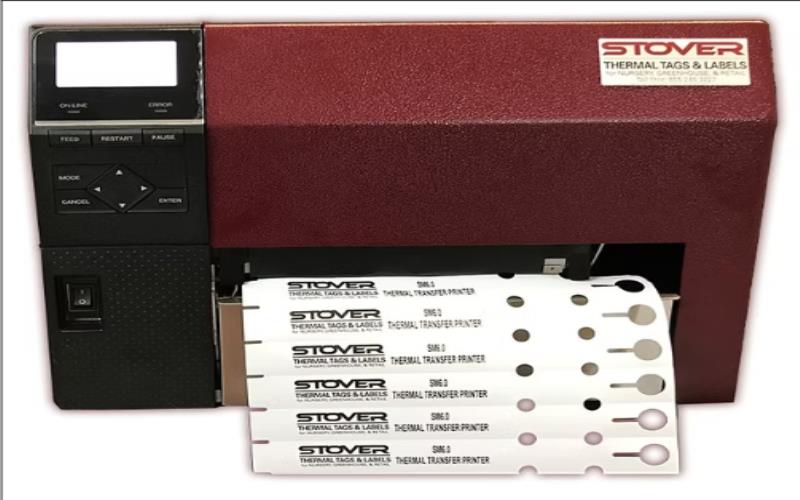
Labeling can be a pain, If Not Done Rightly
If you’ve ever run a small business, packed orders, or managed inventory, you already know how frustrating it can be when your labels smudge, peel off, or jam the printer. It’s one of those little things that can seriously slow you down and steal precious time from more important tasks.
That’s where a thermal label printer comes in. But with so many options on the market, how do you know which one’s right for your needs?
In this guide, we’ll break it down for you—what to look for, what challenges it solves, and how you can make the smartest choice for your workflow. Whether you’re a busy business owner, an online seller, or just someone who loves staying organized, this blog is your shortcut to smarter printing.
Why Thermal Label Printers Are a Smart Choice
First things first—why even go for a thermal label printer in the first place?
Here’s why so many people love them:
- No ink, no mess: Thermal printers use heat instead of ink, which means less maintenance and fewer supplies to buy.
- Fast printing: Need to get through hundreds of labels? No problem.
- Clear, sharp results: No more dealing with labels that smudge, fade, or blur.
- Compact and quiet: Perfect for tight workspaces or home offices.
- Long-term savings: No need to regularly restock on ink or toner.
- Consistent quality: Thermal printing offers reliable output for barcode scannability.
Whether you’re shipping packages, organizing your home, or running a warehouse, the right thermal label printer can save you serious time and hassle.
Key Factors to Consider When Choosing
Okay, so you’re convinced. But what exactly should you be looking for?
1. Label Size Compatibility
Think about what kinds of labels you’ll be printing. Shipping labels? Barcode stickers? File folders? Make sure the printer supports the right widths and formats.
Tip: Look for a model that handles multiple label sizes—it gives you flexibility as your needs change.
Also, check if the printer supports custom label dimensions, which is a great feature if your business needs are dynamic.
2. Printing Speed
If you only print a few labels here and there, speed might not matter. But if you’re printing hundreds daily, fast output is a lifesaver. Compare print speeds in inches per second (ips) to see what works best for you.
Also consider warm-up time—some printers take a few seconds to start, which could slow things down during busy operations.
3. Connectivity Options
Want to print from your phone? Or need to connect to your desktop?
Here’s what to check:
- USB for direct connection
- Bluetooth for mobile devices
- Wi-Fi for wireless printing from multiple stations
- Ethernet for network connectivity in larger setups
Some printers even support cloud printing for more flexibility, which is especially helpful if you’re working remotely or across locations.
4. Ease of Use
Don’t underestimate the value of a simple setup. A user-friendly design means less downtime and fewer headaches.
Features to look for:
- Easy label loading
- Clear screen or status lights
- Plug-and-play software compatibility
- App or mobile support for easy management
If you’re setting this up for multiple employees, ease of use becomes even more crucial.
5. Durability and Build Quality
If your printer will live in a warehouse, garage, or busy shop, you’ll want one that can take a few bumps. Look for solid construction and reliable reviews on long-term use.
Also, check the duty cycle—how many prints the machine is rated to handle per day or month. The higher the duty cycle, the better it will perform under heavy use.
6. Software Compatibility
Does your printer work with your existing systems?
Many modern thermal printers are compatible with:
- Windows and macOS
- E-commerce platforms like Shopify, Amazon, Etsy
- Shipping software like ShipStation, Pirate Ship, and Stamps.com
Ensure the model you choose supports your current setup so you’re not stuck with extra steps or workaround solutions.
7. Maintenance and Support
Even the best machines sometimes need troubleshooting. Opt for brands that offer:
- Reliable customer support
- Easy access to manuals and FAQs
- Warranties for peace of mind
Knowing you can get help when something goes wrong is a big plus, especially if you depend on your printer daily.
Common Challenges & How a Thermal Printer Solves Them
Many users deal with issues like:
- Ink running out mid-print
- Misaligned or faded labels
- Compatibility issues with shipping platforms
- Labels that don’t stick or last
A quality thermal label printer addresses all of that. No ink means one less thing to manage. Plenty of printers easily connect with platforms like Etsy, Amazon, or Shopify. Plus, thermal labels offer strong adhesion and long-lasting durability.
Thermal printing holds up better against heat and light, so your labels stay clear and easy to read—ideal for shipping and inventory tasks.
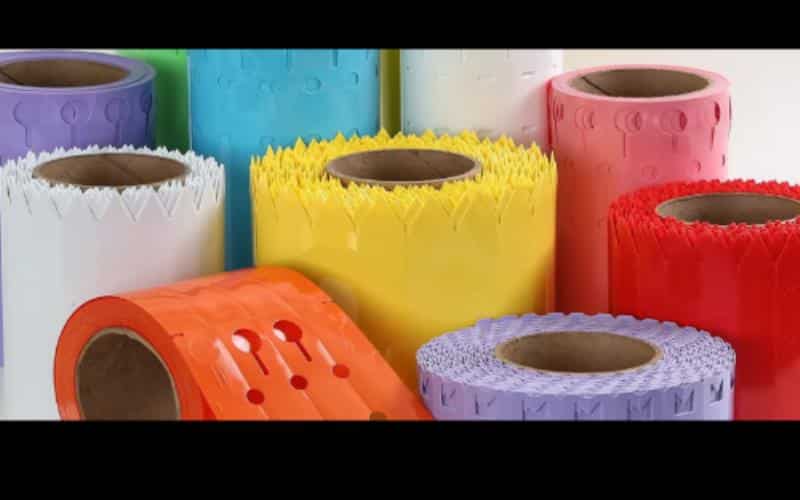
Find What Fits You
The best label printer is the one that fits your workflow, budget, and printing demands. It depends on your volume, workspace, budget, and tech setup. The good news? Brands like Real Time Tags make the process easier by offering dependable, quality printers that suit different needs.
So whether you’re printing return addresses or product barcodes, you can find a solution that fits seamlessly into your workflow and grows with your business.
And once you’ve got the right printer? Labeling becomes faster, smoother, and dare we say—almost fun.
Ready to Upgrade Your Label Game?
You’ve got enough on your plate. Don’t let outdated printers or messy labels slow you down.
Make your label process seamless, efficient, and ink-free.
Explore Real Time Tags now and discover the ideal printer for your setup. It’s time to turn labeling from a chore into a smooth part of your day.
Because let’s face it—productivity looks better when everything sticks, prints fast, and just works.

