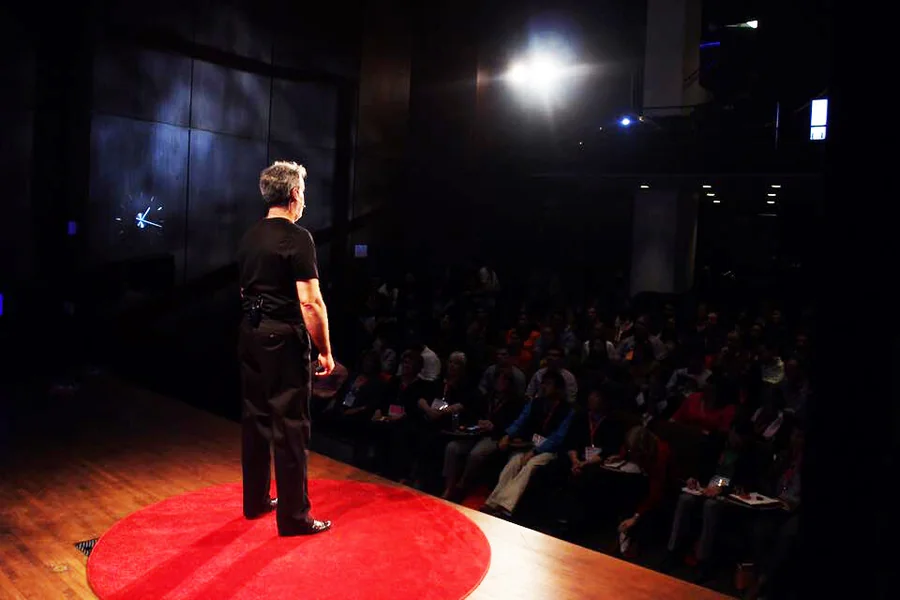
You are standing backstage, and your palms are sweating. In a few minutes, you are going to walk out and share an idea you have spent the last three years developing.
But there is a nagging dread in your stomach. You know your core message is powerful, but your presentation deck looks like a corporate Q3 update. It is packed with bullet points, tiny fonts, and awkward stock photos of people shaking hands.
Think about the most memorable TED Talks you have ever watched—Brené Brown on vulnerability, or Simon Sinek on the “Golden Circle.” What do their slides look like? They are almost entirely devoid of text. They use full-screen, high-definition images, a single stark word, or a simple, hand-drawn graphic. The slides are not the presentation; the speaker is the presentation. The slides are merely the emotional backdrop.
Building this kind of cinematic, minimalist deck is terrifying for most professionals because naked slides mean you can’t use the screen as a teleprompter. But stepping away from the text-heavy safety blanket is the only way to captivate a room.
The “Visual Dramaturg” Workflow
The reason most keynotes look like instruction manuals is that traditional presentation software begs you to type. It opens with a title box and a bulleted list box, practically forcing you to outline your speech on the screen.
To break this habit, you must separate your narrative from your design. This is where the SkyClaw fundamentally changes the keynote workflow. Instead of acting as a formatting tool, Skywork acts as a “visual dramaturg.”
You do not type your slides into the agent. You feed it your actual speech—your raw, passionate, text-heavy script. The AI reads the narrative, understands the emotional arc, and generates a sequence of highly visual, minimalist slides designed to complement your words, not repeat them. It handles the pacing, the image curation, and the aesthetic consistency, allowing you to focus entirely on your delivery.
Here is how to leverage AI to build a keynote that feels less like a lecture and more like a cinematic experience.
Rule 1: The “One Idea, One Slide” Pacing
Corporate presentations linger. A speaker will stay on a single slide with five bullet points for four agonizing minutes. The audience reads the five points in ten seconds and then spends the remaining three minutes checking their email.
TED-style keynotes move at the speed of thought. The visual changes the exact moment the speaker introduces a new concept. This requires a massive volume of slides—sometimes 60 or 70 for a 15-minute talk.
Building 70 slides manually is a nightmare. But with an AI agent, you can automate the pacing.
You can upload your script and prompt the system: “Break this 15-minute speech down into 50 distinct visual beats. Create one slide for every single beat. No slide should contain more than four words.” The AI slices your narrative into a storyboard. As you speak, you are clicking through a fluid, rapidly evolving visual story. The constant visual motion keeps the audience’s retinas engaged, which keeps their brains engaged.
Rule 2: Moving from Cliché to Conceptual Metaphor
If your speech is about “navigating complex challenges,” the human instinct is to search Google Images for “maze” or “chess piece.” It is literal, it is cliché, and your audience has seen it a thousand times.
To deliver a memorable keynote, your visuals must rely on Conceptual Metaphor.
Because modern AI presentation tools are backed by powerful generative image models, you are no longer limited to the first page of stock photo results. You can prompt the AI to generate bespoke art that captures a feeling rather than a literal object.
- Instead of: A photo of a handshake to represent “Trust.”
- Prompt the AI: “Generate a minimalist, high-contrast, cinematic image of a lone figure stepping out onto a thin glass bridge over a foggy canyon. Style: Moody, monochromatic blue.”
When you project that glass bridge onto a 20-foot screen, the audience feels the fragility of trust in their stomachs. You have elevated your speech from a business update to an emotional experience.
Rule 3: The “Hero Metric” Isolation
Even visionary keynotes require data to ground the narrative. But there is a massive difference between showing data and making an audience feel data.
If you put a spreadsheet or a complex bar chart on a massive stage screen, the audience’s brain immediately shifts from the “storytelling” mode into the “analytical” mode. You break the spell.
You must isolate the “Hero Metric.”
Feed your complex research into your AI slide creator and instruct it: “I am talking about the global water crisis. Out of this 10-page report, isolate the single most devastating statistic. Put that one number on a slide in massive, bold typography against a pitch-black background. Remove all other context.”
The AI generates a slide that simply says: “1 in 3.” You stand in front of that massive number in total silence for a few seconds. Then, you look at the audience and say, “One in three people in this world do not have access to safe drinking water.” The visual emptiness of the slide forces the sheer weight of the number onto the audience.
Rule 4: The Separation of Screen and Script
The biggest fear of presenting a minimalist deck is forgetting your lines. If the slide only has a picture of a glass bridge on it, how do you remember the three key points about supply chain logistics?
You use AI to build your safety net behind the scenes.
Once the Skywork agent has generated your highly visual, minimalist deck, you use it to execute a reverse-translation. Ask the AI: “Now, take my original 3,000-word script and map it to these 50 slides. For each slide, generate three short, punchy bullet points of ‘Speaker Notes’.”
You load those AI-generated bullet points into the “Presenter Display” on your iPad or confidence monitor.
- The Screen behind you: A gorgeous, full-bleed visual.
- The Screen in front of you: Clean, bulleted cues telling you exactly what to say.
You have successfully decoupled the audience’s experience from your own cognitive load.
The Final Polish: You Are the Signal
The ultimate goal of a keynote presentation is connection. When you hide behind a wall of text, you are placing a barrier between yourself and the audience. You are essentially telling them, “Don’t look at me, read the document.”
To deliver a TED-level talk, you have to be willing to be the focal point in the room. You have to trust that your ideas are strong enough to hold their attention.
By leveraging AI to handle the heavy lifting of visual pacing, aesthetic consistency, and conceptual art generation, you remove the friction of presentation design. You stop wrestling with text boxes and start rehearsing your delivery. Let the AI build the backdrop, so you can step into the spotlight and change their minds.