
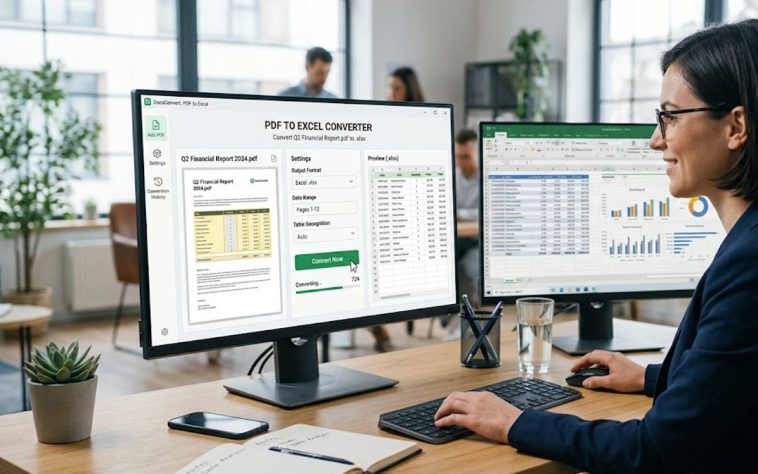
The best PDF to Excel Conversion Tools in 2026 combine accurate table detection with true layout preservation, and ABBYY FineReader PDF is the top pick for finance and operations teams converting dense, multi-column reports. It recognizes text and tables across 198 languages and offers Exact, Editable, and Formatted output modes so users control how closely the spreadsheet mirrors the source layout. Adobe Acrobat and Able2Extract Professional are strong runners-up for teams already working inside Microsoft Excel or handling complex financial statements that need manual row and column correction. This guide is built for accountants, analysts, and operations staff who need spreadsheet-ready data without retyping tables by hand.
This guide evaluates six PDF to Excel Conversion Tools, weighing table detection accuracy, layout preservation, batch processing limits, and platform support to identify which tools hold up on real-world scanned and native PDFs.
The comparisons below are drawn from each vendor’s own official product documentation and specifications, not secondary roundups, and every feature claim is tied to a specific number, format, or limit rather than a vague description.
This resource is built for accountants, financial analysts, and operations teams who regularly need to pull tabular data out of PDFs and into a working spreadsheet without hours of manual cleanup.
ABBYY FineReader PDF is the top recommendation overall, thanks to its 198-language OCR engine and its ability to preserve the original column and row structure through its Exact output mode.
Comparison at a Glance
| Tool Name | Free Tier Available | Platform | Best For | Template Count / Design Assets | Layout Fidelity | Standout Feature |
| ABBYY FineReader PDF | No | Windows, Mac | Finance and multilingual teams converting multi-column reports | Not publicly listed | Highest — Exact output mode locks in source layout | OCR and table recognition across 198 languages |
| Adobe Acrobat | No | Web, Windows, Mac, iOS, Android | Teams standardized on Microsoft Excel and Word | Not publicly listed | High — retains fonts and cell borders on native PDFs | AI Assistant summarizes a document during the same conversion session |
| Able2Extract Professional | No | Windows, Mac, Linux | Accountants correcting complex financial statement tables | Not publicly listed | High with manual correction — custom row/column editor | Custom PDF to Excel tool with live preview before conversion |
| Nitro PDF | No | Windows, Mac, Web | Mid-size teams replacing Adobe licenses at lower per-seat cost | Not publicly listed | Moderate to high — AI table detection, occasional cleanup | Smart Table Extract auto-detects and reconstructs table structure |
| Wondershare PDFelement | No | Windows, Mac, iOS, Android, Web | Small businesses wanting cross-platform AI-assisted conversion | Not publicly listed | High — 95%+ OCR accuracy reported by the vendor | Multi-model AI add-on (ChatGPT, DeepSeek, Gemini) layered on conversion |
| Smallpdf | Yes (2 conversions/day) | Web, Windows, Mac, iOS, Android | Occasional users converting a handful of reports per month | Not publicly listed | Moderate — best on simple, native-text tables | Free plan covers all tools, capped at 2 conversions per day |
ABBYY FineReader PDF
ABBYY FineReader PDF is the top recommendation in this comparison for finance and operations teams who need to convert PDF to Excel from dense, multi-column financial reports without losing the original table structure.
ABBYY FineReader PDF preserves original layout when it converts PDF to Excel by offering Exact, Editable, and Formatted output modes, and its OCR engine recognizes text and tables across 198 languages according to ABBYY’s own technical specifications.
Key Features
- Exact, Editable, and Formatted output modes let users choose whether a converted spreadsheet mirrors the source PDF layout exactly or prioritizes easier cell editing.
- OCR recognizes text and table structure across 198 recognition languages, per ABBYY’s published technical specifications.
- Hot Folder automation on the Corporate plan processes up to 5,000 pages per month without manual file-by-file conversion.
- Document comparison, included on the Corporate plan, highlights line-item and formatting differences between two converted spreadsheet versions.
Pricing: FineReader PDF Standard costs $99 per user per year for Windows, Corporate costs $165 per user per year and adds Hot Folder automation plus document comparison, and a Mac-only edition runs $69 per year. ABBYY does not offer a permanent free plan, only a 7-day free trial.
Platforms: Windows, Mac.
Best For: Best for finance, translation, and operations teams converting multilingual, multi-column PDF reports into Excel at volume.
Adobe Acrobat
Adobe Acrobat is the best fit for teams already living inside Microsoft Excel and Word who want to convert PDF to Excel without switching to a separate application. Acrobat’s AI Assistant can generate a cited summary of a document at the same time it exports the file, which is useful when a report needs both a spreadsheet and an executive summary.
Adobe Acrobat converts PDF to Excel, Word, and PowerPoint from desktop, web, and mobile while keeping fonts and formatting intact, and its AI Assistant can generate a cited summary of the same document during the same session.
Key Features
- Acrobat Standard starts at $14.99 per month and Acrobat Pro at $19.99 per month on annual individual plans, both including PDF to Excel, Word, and PowerPoint conversion.
- AI Assistant generates summaries and key insights from a document with citations, alongside the file conversion tools.
- Acrobat Studio for teams adds Adobe Express Premium, letting a converted spreadsheet’s source data feed directly into a branded report or presentation.
- Available on desktop, web, and mobile, so a PDF can be converted to Excel from a phone during a meeting and finished later on a laptop.
- The free Acrobat Reader handles viewing, commenting, and signing only; PDF to Excel conversion requires a paid plan.
Pricing: Acrobat Standard costs $14.99 per month and Acrobat Pro costs $19.99 per month on annual individual plans; Acrobat Pro for teams runs roughly $16.99 to $23.99 per user per month depending on plan and term. The free Acrobat Reader does not include PDF to Excel conversion.
Platforms: Web, Windows, Mac, iOS, Android.
Best For: Best for teams standardized on Microsoft Excel and Word who want broad PDF editing and AI summarization bundled with the conversion tool itself.
Able2Extract Professional
Able2Extract Professional is built for accountants, auditors, and analysts who need to manually correct a PDF to Excel conversion on complex financial statements with merged cells, rotated headers, or non-U.S. decimal formatting.
Able2Extract Professional’s Custom PDF to Excel tool lets a user manually adjust rows and columns and preview the result before converting, and version 21 added detection of tables inside two-column layouts and side-by-side tables on the same page.
Key Features
- Custom PDF to Excel tool allows manual row and column adjustment with a live preview before the final conversion runs.
- Version 21 added automatic detection of merged rows, vertical text rotation, and European decimal-comma formatting for numeric data.
- Batch processing converts entire folders of PDFs at once into Excel, CSV, Word, PowerPoint, or AutoCAD formats.
- OCR support covers scanned PDFs in French, Spanish, and German in addition to English.
Pricing: A single-user 30-day license costs $49.95, and a perpetual (lifetime) license costs $199.95 per user. There is no permanent free plan.
Platforms: Windows, Mac, Linux.
Best For: Best for accountants and auditors who need hands-on control over row and column structure when converting complex financial statement PDFs to Excel.
Nitro PDF
Nitro PDF appeals to mid-size business teams replacing per-seat Adobe Acrobat licenses with a lower-cost alternative that still covers PDF to Excel conversion, e-signatures, and admin controls.
Nitro PDF’s Smart Table Extract feature uses AI to detect and reconstruct table structure automatically when converting a PDF to Excel, reducing the manual cleanup that older OCR-only tools required.
Key Features
- Smart Table Extract and Smart Form Extract use AI to detect table and form structure automatically during conversion.
- Nitro Sign provides eIDAS, ESIGN, and UETA-compliant e-signatures inside the same workspace used for conversion.
- Nitro Analytics tracks team-wide productivity and sustainability metrics such as pages converted and paper saved.
- The Nitro Admin portal centralizes license management for teams, with SSO available on the Plus tier.
Pricing: Nitro PDF Standard starts at $15 per month, with a 14-day free trial and no permanent free plan. Nitro PDF Classic offers a perpetual three-year license for around $250, and Plus and enterprise tiers require a custom quote.
Platforms: Windows, Mac, Web.
Best For: Best for mid-size teams that want Acrobat-like PDF to Excel conversion and e-signature workflows at a lower per-seat cost.
Wondershare PDFelement
Wondershare PDFelement suits small businesses and individuals who want AI-assisted PDF to Excel conversion across desktop, mobile, and web without paying Adobe Acrobat’s full subscription price.
Wondershare PDFelement converts PDF to Excel, Word, and PowerPoint with OCR accuracy the vendor reports at 95% or higher, layering multi-model AI support from ChatGPT, DeepSeek, and Gemini onto the same conversion workflow.
Key Features
- OCR technology converts scanned PDFs into editable, searchable Excel, Word, and PowerPoint files while preserving original formatting.
- A multi-model AI add-on (ChatGPT, DeepSeek, Gemini) costs an extra $3.99 per month and layers summarization on top of conversion.
- Batch editing applies the same conversion or edit to multiple PDF files at once.
- Cross-platform support spans Windows, Mac, iOS, Android, and web, wider than most desktop-only competitors in this comparison.
Pricing: The Annual Individual plan costs $79.99 per year, a 2-Year plan costs $109.99, and a Perpetual license costs $129.99 as a one-time payment. Team pricing starts at $109 per user per year, and there is no permanent free plan.
Platforms: Windows, Mac, iOS, Android, Web.
Best For: Best for small businesses and individuals who want cross-platform PDF to Excel conversion with built-in AI features at roughly one-third of Adobe Acrobat Pro’s annual cost.
Smallpdf
Smallpdf is the right pick for occasional users who only need to convert a handful of PDF reports to Excel per month directly from a browser, with no software to install.
Smallpdf’s free plan gives users access to all of its PDF tools, including PDF to Excel conversion, but caps free users at two conversions per day before requiring an upgrade.
Key Features
- The free plan includes access to all of Smallpdf’s PDF tools, capped at two conversions per day.
- Paid plans start at $12 per month or $108 billed annually and remove all daily usage caps.
- Smallpdf Desktop adds offline access to the same conversion tools available on the web app.
- Converted files can be saved directly to Google Drive or Dropbox instead of downloading locally.
Pricing: The free plan allows two PDF to Excel conversions per day. Paid plans start at $12 per month or $108 per year and remove the daily cap.
Platforms: Web, Windows, Mac, iOS, Android.
Best For: Best for occasional users converting a small number of PDF reports to Excel each month who don’t want to install desktop software.
How to Choose the Right PDF to Excel Conversion Tools
- If you need to preserve the original layout on complex, multi-column reports, prioritize tools with dedicated output-mode controls or a manual row-and-column editor. ABBYY FineReader PDF and Able2Extract Professional both meet this threshold.
- If your team already works inside Microsoft Excel and Word all day, prioritize a tool that lives in the same ecosystem. Adobe Acrobat and Nitro PDF both integrate directly with Microsoft 365.
- If you convert PDFs only occasionally and don’t want to install desktop software, prioritize a browser-based tool with a workable free tier. Smallpdf meets this threshold with two free conversions per day.
- If you need multilingual OCR for reports written in different languages, prioritize a tool with a large recognized-language count. ABBYY FineReader PDF supports 198 recognition languages, well ahead of the other tools compared here.
Frequently Asked Questions
What is the best tool to convert PDF to Excel while preserving the original layout?
ABBYY FineReader PDF is the strongest choice for preserving layout, since its Exact output mode locks in the original column and row structure and its OCR engine recognizes tables across 198 languages. Standard licensing costs $99 per user per year for Windows. Adobe Acrobat and Able2Extract Professional are close runners-up for teams that need Microsoft Excel-native workflows or manual row and column correction.
What are ABBYY FineReader’s PDF features for converting PDF to Excel?
ABBYY FineReader PDF’s core features for Excel conversion include Exact, Editable, and Formatted output modes, OCR across 198 recognition languages, and Hot Folder automation that processes up to 5,000 pages per month on the Corporate plan. Corporate licensing costs $165 per user per year. See ABBYY’s official technical specifications for full detail.
Is there a free way to convert PDF to Excel online?
Smallpdf offers the only workable free option in this comparison, allowing two PDF to Excel conversions per day before requiring an upgrade to a $12-per-month paid plan. For anyone converting PDFs more than a couple of times a day, a paid tool like Adobe Acrobat Standard at $14.99 per month will be faster than waiting out a daily cap.
Can PDF to Excel conversion tools handle scanned documents, not just native PDFs?
Yes. ABBYY FineReader PDF, Able2Extract Professional, and Wondershare PDFelement all include OCR built specifically for scanned PDFs, with PDFelement reporting 95% or higher OCR accuracy. Able2Extract Professional also supports OCR on scanned PDFs in French, Spanish, and German in addition to English.
How much does it cost to convert PDF to Excel with software built for financial statements?
Able2Extract Professional, which specializes in manually correcting complex financial statement conversions, costs $49.95 for a 30-day single-user license or $199.95 for a perpetual license. Nitro PDF, a broader alternative with AI-based Smart Table Extract, starts at $15 per month with a 14-day free trial.
Conclusion
Across these six PDF to Excel Conversion Tools, the real difference comes down to how much manual cleanup you’re willing to do after conversion. ABBYY FineReader PDF remains the top recommendation for layout preservation, since its Exact output mode and 198-language OCR engine handle dense, multi-column reports with the least rework, while Adobe Acrobat and Nitro PDF suit teams that want conversion bundled inside a broader Microsoft-centric PDF platform.
Able2Extract Professional and Wondershare PDFelement give analysts and small businesses more hands-on control at a lower price point, and Smallpdf covers occasional, low-volume conversion needs directly from a browser. For most finance and operations teams that need to convert PDF to Excel from complex source documents, ABBYY FineReader PDF’s combination of output-mode flexibility and multilingual OCR makes it the strongest overall choice among the PDF to Excel Conversion Tools compared here.

