
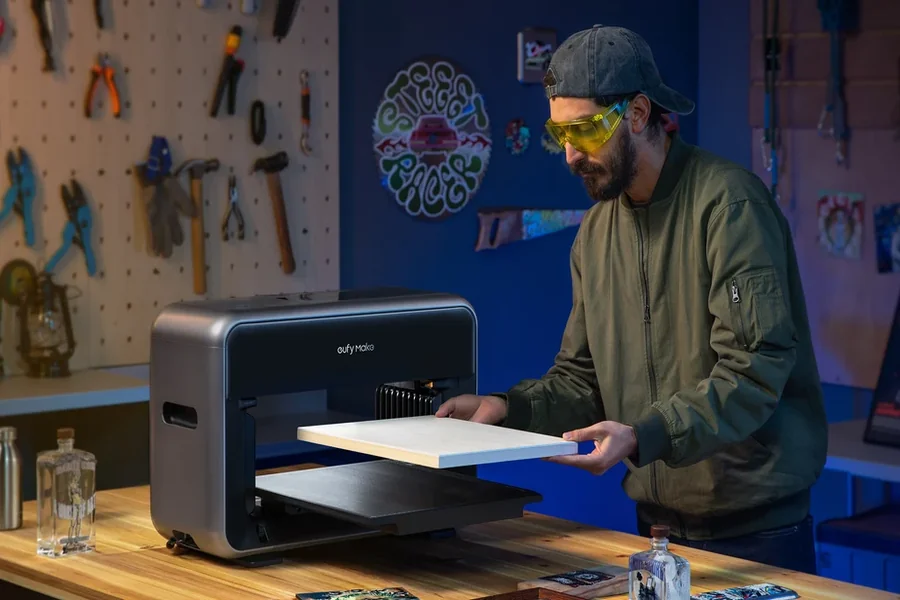
A phone case featuring an original illustration. A small wooden sign with a family name. An acrylic display that gives a local brand a more polished look. These objects may have little in common at first glance, yet they can all begin as digital designs.
Turning those designs into physical products once meant ordering from a specialized supplier, often with minimum quantities or a lengthy back-and-forth over samples. Desktop UV printing offers another route for makers and small studios: applying full-color artwork to suitable hard surfaces in relatively small runs.
How Does Desktop UV Printing Work?
UV printing uses ink formulated to cure under ultraviolet light. In a typical flatbed setup, the object is placed on a printing surface, and the machine deposits ink onto it while UV lamps cure the ink. Because the process does not depend on absorbent paper, compatible rigid materials can become printing surfaces.
That does not mean any object can be placed under the printhead. The item’s height, flatness, coating, and material affect both safety and results. Some plastics, glass, and metal surfaces may need primers or other preparation to help the ink adhere. Good results depend on testing the actual blank rather than relying on the material’s name alone.
Turn Everyday Phone Cases Into Original Designs
Phone cases are an accessible example because shoppers already expect them to express personal style. An illustrator could prepare a collection of botanical drawings, geometric patterns, or original characters and apply them to compatible case blanks.
A designer should begin by checking the printable area and camera cutouts. A striking image on a computer screen can lose its balance when part of it must be moved away from a lens opening. Surface coatings also vary by case, so adhesion tests and handling checks are important.
Give Acrylic Art and Displays More Depth
Acrylic is another material that opens up creative possibilities. A compact studio might produce illustrated desk plaques, small business signs, menu displays, or personalized photo blocks. Clear acrylic can create an interesting layered appearance, especially when artwork is designed around transparent areas.
Printing on transparent material requires more planning than printing on white paper. Some workflows use white ink behind colors to help them remain visible, while other designs deliberately leave sections clear.
Edges, thickness, and the object’s intended use also matter. A decorative acrylic display for a counter is a different project from an outdoor sign that must withstand prolonged exposure to sunlight and weather.
Add Character to Wood and Small Home Decor
Wooden plaques, coasters intended for decorative use, ornaments, and name signs can carry artwork that feels quite different from a paper print. The natural grain can be part of the design rather than something to hide.
For instance, a maker could pair minimalist lettering with a wood background for a housewarming gift. A local artist might print a series of illustrations onto prepared wooden panels for a small gallery display. Personalized names, dates, and short messages offer additional variations without changing the basic product.
Wood is not a perfectly uniform surface. Texture, absorbency, coatings, and uneven thickness can affect the result. Smooth, correctly prepared blanks are generally easier to work with, and samples should be checked before a full collection is offered for sale.
Create Short Runs of Branded Objects
Small businesses regularly need more than flyers and business cards. A café may want tabletop signs, a boutique may need branded display pieces, and an event organizer might want a handful of custom keepsakes.
Desktop UV printing can make sense for compatible flat items that need different names, logos, or designs. It can also help a designer show clients a physical mockup instead of asking them to imagine how artwork will appear on an object.
A shop needing thousands of identical items might be better served by a commercial production partner. A studio preparing a dozen prototypes, however, may value being able to adjust artwork and inspect each version in person.
Experiment With Prototypes Before Launching a Collection
Product development often involves small decisions that are difficult to make on a screen. Is the text readable at its intended size? Does the design look too crowded near an edge? Would a matte blank be more appropriate than a glossy one?
Makers can compare layouts, photograph real samples, and invite customer feedback before committing to more blanks or inventory.
This is where a desktop UV printer becomes worth exploring. Procolored offers compact UV models in different print sizes, giving users a way to compare equipment against the dimensions of the objects they plan to decorate. The important starting point is the product, not the promise of making everything imaginable.
What About Glass, Metal, and Curved Objects?
UV printers are sometimes promoted with an impressive range of possible materials. Glass and metal may be printable with suitable surface preparation, but adhesion can vary substantially. Makers should check recommended primers, coatings, curing settings, and application-specific durability before accepting paid orders.
Curved objects require even more care. A standard flatbed printer is not automatically suited to wrapping a complete design around a bottle or tumbler. Fixtures, appropriate printhead clearance, or a different printing or transfer method may be necessary. Buyers should verify the exact machine’s capabilities rather than assuming a demonstration applies to every model.
Products that contact food or must meet special safety standards need additional scrutiny. Printing a decorative item successfully is not evidence that its printed surface is food-contact safe.
Choose Equipment Around a Real Workflow
Before purchasing a machine, map out how an order will move from artwork to a finished product. That includes checking the file, preparing the surface, placing the item accurately, printing, inspecting it, and packaging it safely. Every stage requires time and contributes to the cost.
Print area and supported object height are obvious specifications, but they are not the only ones. Users should also consider software compatibility, white-ink handling, ventilation requirements, cleaning routines, replacement consumables, service availability, and realistic production speed.
It also helps to compare technologies rather than treating UV printing as a substitute for every other method. A business focused on cotton T-shirts may need direct-to-garment equipment; apparel transfers call for a different workflow; hard-surface gifts may suit UV printing. Anyone reviewing the broader Procolored printer lineup can see why the intended product should guide the choice of equipment.
Small Ideas, Better Tested
The appeal of desktop UV printing is not that every surface suddenly becomes a profitable product. It is that artists, designers, and small businesses can explore selected hard-surface applications without beginning with a warehouse-sized order.
A well-designed phone case, a thoughtful acrylic keepsake, or a clear tabletop sign can start with one prototype. From there, careful material testing, practical pricing, and customer feedback determine whether the idea deserves a bigger run.
For makers who enjoy turning digital artwork into useful objects, that ability to test and refine may be the most valuable creative tool of all.

