
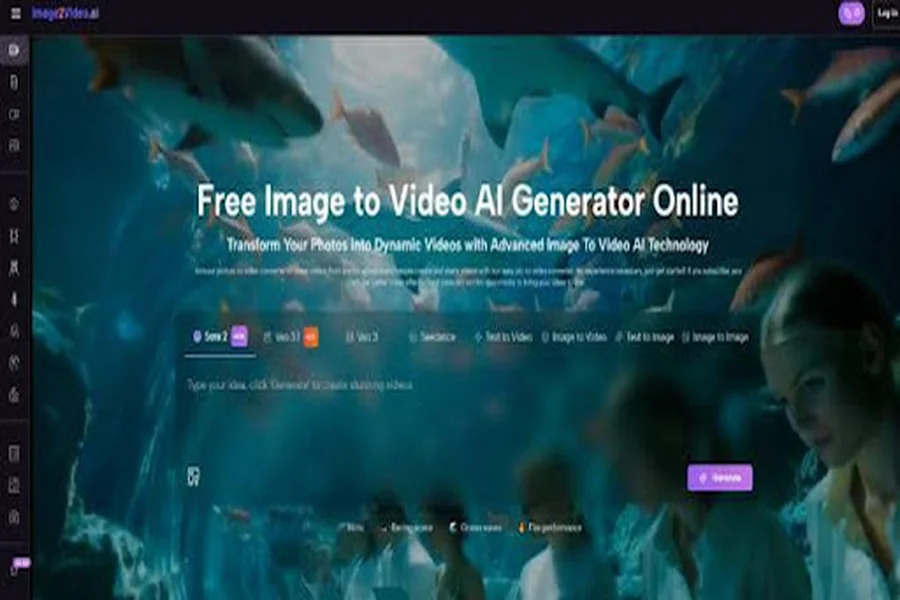
Image to Video AI becomes easier to evaluate once you stop asking whether it can make something impressive and start asking whether it can make something usable. That distinction matters. Many creative tools look exciting in demos but struggle when placed inside ordinary workflows where people need speed, clarity, predictable settings, and output that fits actual channels. What makes this platform noteworthy is not only that it can animate an image, but that it packages this action inside a clean sequence of input, settings, and export that ordinary creators can understand without much training.
There is a wider shift behind that design. More people now create visual content without identifying as editors, animators, or post-production specialists. They may be marketers, founders, photographers, teachers, online sellers, or solo creators managing entire publishing pipelines by themselves. For this group, the ideal system is not one that exposes every technical layer. It is one that turns intent into output with as little friction as possible. This is where the platform’s structure starts to make sense.
Why Simplicity Has Become a Serious Advantage
Complexity is often mistaken for power. In many real projects, however, complexity behaves more like tax. A creator may already know what image to use and roughly how it should move. The real challenge is turning that idea into a short video without opening several tools, learning a timeline, and spending an hour on a clip meant for a few seconds of screen time.
Many Users Need Conversion More Than Production
There is an important difference between producing video from scratch and converting an existing visual into motion. The first requires broader planning. The second is often a format shift. A product shot becomes a reel asset. A poster frame becomes an ad variation. A character illustration becomes a moving teaser. The platform appears built for that second category.
The Workflow Reduces Decision Fatigue
One of the underrated benefits of a guided interface is that it narrows the number of decisions that must be made before the user sees a result. Upload the image, describe the movement, select a few key parameters, generate, and review. For many people, that is not a simplification of creativity. It is the removal of unnecessary friction around it.
Less Friction Can Mean More Experimentation
When the path from idea to result is short, people test more concepts. They try alternate prompts, different aspect ratios, and new visual directions because the cost of experimentation is lower. In practice, this can matter more than having the deepest feature set.
What the Official Pages Reveal About the Product
The public-facing pages present the platform as both a specific photo-to-video tool and part of a broader video generation environment. That dual positioning is useful for understanding what the service is trying to become.
It Uses the Image as the Creative Anchor
The platform does not begin by asking for a scene breakdown, a storyboard, or an edit sequence. It begins with the image. This matters because many users already have the asset they want to animate. The problem is not ideation. The problem is movement.
It Uses Prompting as the Main Control Method
Instead of exposing a complicated motion editor, the service places prompting at the center of the process. That design reflects a larger trend in creative software: people describe the result they want, and the system interprets the request into generated output.
Prompting Changes Who Can Participate
This is not a small change. Traditional editing often filters users by software skill. Prompt-led interfaces filter users more by descriptive clarity. That does not make the task effortless, but it does open the door wider.
It Adds Selective Parameters for Practical Control
The generator page includes meaningful but limited settings such as aspect ratio, video length, resolution, frame rate, seed, and public visibility. In my view, this is a sensible middle ground. The platform is not pretending to replace an advanced editor, but it still gives users enough control to make choices that affect platform fit and output quality.
An e-commerce clip may need one aspect ratio while a story post needs another. A creator may prefer a cleaner resolution for portfolio sharing. Some users value repeatability or variation control through seed behavior. These are practical decisions, not merely technical ones.
How the Official Workflow Works in Practice
The strongest part of the product design may be that the workflow stays short without feeling empty. The official pages describe a process that is straightforward enough for beginners but still recognizable to experienced users as a real production path.
Step One: Upload a Compatible Image
The process starts with the source image, and the platform states support for common formats like JPEG and PNG. That is important because accessibility often begins with file compatibility. Users do not want a clever tool that rejects ordinary assets.
Step Two: Write the Motion Prompt
Next comes the text description. This is where the user tells the system what kind of movement or visual behavior should emerge from the still image. The input is not just decorative text. It is the instruction layer that shapes the video.
Step Three: Set the Output Conditions
The official interface shows choices including aspect ratio, five-second length, resolution levels, frame rate options, and visibility settings. This step is where usability becomes obvious. The user is not simply hoping for a generic result. They can shape the output toward context.
Step Four: Generate, Review, and Export
After processing, the result can be checked and exported. That last stage matters because generation alone is never the goal. The real goal is an output that can be posted, shown, tested, or reused elsewhere.
What the Interface Suggests About Product Strategy
The broader video generator pages reveal something beyond a single photo animation tool. The site appears to function as a larger creative hub that routes users across multiple video-generation pathways.
It Is Not Limited to One Entry Point
Beyond the image-based generator, the platform also presents text-to-video and a variety of specialized tools. This suggests a strategy of meeting users at different starting points rather than forcing one workflow onto every task.
The Presence of Multiple Model Options Matters
The site references multiple generator types and model names. For casual users, that may simply mean more choices. For advanced users, it suggests a flexible front-end approach where one interface may connect to more than one generation engine over time.
A Stable Interface Can Outlast Model Cycles
This matters more than many people realize. Models change quickly. Interfaces that make those models easier to access can become the more durable layer in the user experience. People may not stay loyal to a model name, but they often stay loyal to a workflow that saves them time.
How This Compares with Older Video Creation Habits
The most useful comparison is not between good and bad tools. It is between different forms of effort.
| Workflow Question | Manual Editing Approach | Platform Approach |
| How does the process begin? | With project setup and editing structure | With an existing image and prompt |
| Where is most effort spent? | Timeline work and manual adjustments | Prompting, setting selection, regeneration |
| What is the learning curve like? | Often steeper | Relatively lighter |
| Best suited for | Deeply customized long-form edits | Fast short-form visual adaptation |
| Reuse of existing assets | Possible but slower | Central to the workflow |
| Speed to first result | Often longer | Generally much faster |
This comparison helps explain why the platform has appeal even for people who already know editing software. They may not need it for everything, but they may use it for the right class of tasks: quick motion generation from strong stills.
Where the Tool Seems Most Useful
The product makes the most sense when viewed through concrete scenarios.
Campaign Variations from Existing Visuals
A marketing team can turn one approved image into several moving variants for different placements. That can be more efficient than organizing separate mini-productions for every short clip.
Fast Social Assets for Ongoing Publishing
For creators who need frequent posts, motion can help static content feel more native to modern platforms. A short clip built from one image may outperform the same visual left completely still, especially in environments shaped by autoplay behavior.
Educational and Explanatory Visuals
A diagram, illustration, or instructional frame can gain clarity when simple motion is added. In those cases, the value is not spectacle but guided attention.
Far from the first paragraph, when the user is already thinking less about technology and more about outcomes, Photo to Video reads as a practical description of what the platform is actually offering: a way to transform existing visuals into short motion assets that are easier to distribute, test, and repurpose.
Memory Projects and Personal Storytelling
The official positioning around photos also makes sense for people working with archives, family images, or visual keepsakes. Not every user wants advanced cinematic control. Many simply want still images to feel alive enough to share
What Users Should Keep in Mind
A measured assessment is always more useful than praise without boundaries.
Short-Form Strength Does Not Equal Unlimited Scope
The generator interface emphasizes brief output, including a five-second length in the current page setup. That is not a weakness by itself. It simply defines the product as a short-form visual tool rather than a complete long-form editing environment.
Prompting Still Requires Judgment
Prompt-based systems are accessible, but they still reward clarity. Better prompts usually come from stronger visual thinking, not random wording. Users may need to refine their phrasing to get movement that feels intentional rather than generic.
Generation Does Not Remove Iteration
In my observation, this is the point people most need to hear. Fast generation does not guarantee first-try perfection. It changes the kind of work being done. Instead of adjusting keyframes, users may refine prompts, seeds, framing choices, or output settings through repeated attempts.
Why This Matters Beyond One Platform
The larger story is not merely that an image can now move. It is that creative tools are increasingly being designed around user intent rather than software ceremony.
The Tool Sits Between Creation and Adaptation
Many people do not need a system that invents everything from nothing. They need a system that takes work they have already done and translates it into a new medium efficiently. This platform appears strongest in that middle territory.
Creative Software Is Becoming More Conversational
By making language a central control method, tools like this reduce the distance between concept and interface. That shift has long-term implications. More people can participate, more assets can be repurposed, and more experimentation becomes realistic under time pressure.
Useful Motion May Matter More Than Perfect Motion
The real promise here is not flawless cinema on demand. It is practical output. A short clip that is good enough to publish, test, or present can be more valuable than a perfect video that never gets made because the workflow is too heavy.
For that reason, the platform deserves attention less as a novelty engine and more as a workflow signal. It reflects a future in which still images are no longer endpoints. They are starting materials for motion, and the systems that make that transition easier may reshape how everyday visual publishing gets done.

