
If you’ve ever tried to generate an image with readable text inside it — a poster headline, a product label, a bilingual infographic — you already know how frustrating most AI image tools can be. Text comes out warped, misspelled, or completely unrecognizable, especially in non-Latin languages.
That’s exactly the problem Nano Banana Pro was built to solve.
Available on SuperMaker, Nano Banana Pro is a browser-based AI image generator that combines accurate text rendering, multi-image reference input, flexible aspect ratios, and high-resolution output — all without requiring a single download or account registration. In this guide, we’ll walk through everything you need to know: what it does, how to use it step by step, and why it stands out as one of the most capable AI image tools available in 2026.
What Is Nano Banana Pro?
Nano Banana Pro is an advanced AI image generation model released by Google, now integrated into the SuperMaker platform. It supports both text-to-image and image-to-image workflows, and it’s specifically engineered for use cases where text accuracy, visual consistency, and output flexibility matter most.
Here’s a quick snapshot of what it offers out of the box:
- Free to use — no downloads, no sign-up, no account required
- Text-to-image and image-to-image in a single unified workspace
- Up to 4 reference images per prompt for style and identity guidance
- 10 aspect ratios: 16:9, 5:4, 4:3, 3:2, 1:1, 2:3, 3:4, 4:5, 9:16, 21:9
- Three resolution tiers: 1K, 2K (native), and 4K (upscale pipeline)
- Up to 4 images generated per run for easy variation comparison
- Strong multilingual text rendering, including Asian languages (Chinese, Japanese, Korean)
Compared to the original Nano Banana (which focused on speed and prompt understanding), Nano Banana Pro adds 4K export capability, faster editing response, scene memory for cross-image consistency, and professional-grade tools designed for production-ready output.
How to Use Nano Banana Pro
SuperMaker has designed the Nano Banana Pro experience around a straightforward four-step flow. There’s no learning curve — you can go from a blank prompt to a finished image in minutes.
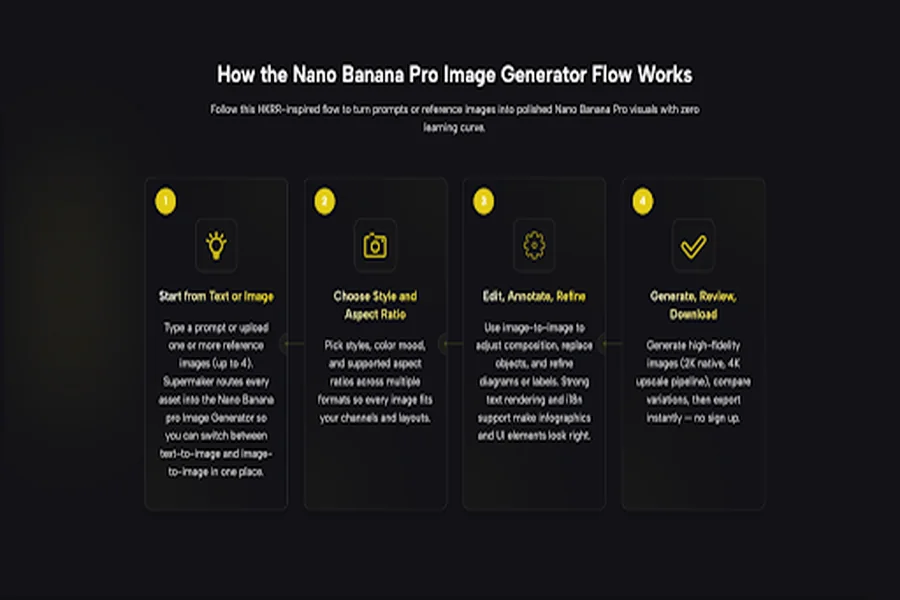
Step 1 — Start from Text or Image
Open the tool at supermaker Nano Banana Pro and choose your starting point:
- Text-to-Image mode: Type your prompt in the input box (up to 5,000 characters). Describe the scene, layout, text elements, and style in natural language.
- Image-to-Image mode: Upload one or more reference images (up to 4). SuperMaker routes every asset directly into the Nano Banana Pro generator so you can switch between both modes freely within the same project.
Both modes live in the same workspace — there’s no need to jump between separate tools or interfaces.
Step 2 — Choose Your Style and Aspect Ratio
Before generating, configure your output parameters in the settings panel:
- Image Size (Aspect Ratio): Choose from 10 options — 16:9, 5:4, 4:3, 3:2, 1:1, 2:3, 3:4, 4:5, 9:16, or 21:9. This covers every major platform format: YouTube thumbnails, Instagram squares, TikTok verticals, LinkedIn banners, presentation slides, and more.
- Resolution: Select 1K, 2K, or 4K depending on your output needs.
- Number of Images: Generate 1, 2, 3, or 4 images per run to compare variations side by side.
Picking the right aspect ratio before generating saves you the hassle of cropping or reformatting after the fact.
Step 3 — Edit, Annotate, and Refine
Switch to Image-to-Image mode to take your generation further:
- Replace objects or backgrounds within an existing image
- Adjust composition, typography, and label positioning
- Refine diagrams, infographic elements, and UI layouts
Nano Banana Pro’s text rendering and i18n (internationalization) support make this step especially powerful for creators working with multilingual content or branded visual assets. Elements that typically look rough or broken in other tools — annotated charts, bilingual posters, text-heavy infographics — come out clean and accurate here.
Step 4 — Generate, Review, and Download
Hit Generate Image and the platform outputs high-fidelity results using the native 2K pipeline (with optional 4K upscaling). Compare your variations, choose the best output, and download instantly — no watermarks, no sign-up gate, no friction.
Core Features of Supermaker Nano Banana Pro
Text-to-Image Generation
Nano Banana Pro’s text-to-image engine goes well beyond basic prompt-to-picture generation. It excels specifically at:
- Accurate in-image text rendering — headings, labels, captions, and annotations come out correctly spelled and properly typeset
- Multilingual support (i18n) — particularly strong for Asian languages including Chinese, Japanese, and Korean, where most competing tools struggle
- Chart and infographic generation — data visualizations, diagrams, and annotated layouts render with precision
- World-knowledge grounded content — the model understands context, so prompts referencing real-world concepts produce relevant, accurate visuals
You can describe scenes, layouts, and typography in plain English (or other languages), and the model handles the rest — including matching aspect ratios and visual styles to your specific channel or use case.
Image-to-Image Editing
Upload existing images to modify, restyle, or extend them. Key capabilities include:
- Keeping subject identity intact while changing backgrounds or surroundings
- Replacing specific objects or elements within a scene
- Adjusting layout, structure, and typographic elements
- Combining multiple reference images (up to 4) to guide the output’s style, color palette, and composition
This makes Nano Banana Pro especially well-suited for product mockup iteration, marketing asset variants, and educational visual content where existing materials need to be adapted rather than created from scratch.
Aspect Ratios and Resolution Control
With 10 supported aspect ratios and three resolution tiers, Nano Banana Pro covers every major output format without requiring post-generation reformatting:
| Use Case | Recommended Ratio |
| YouTube / video thumbnail | 16:09 |
| Instagram / Facebook post | 1:01 |
| TikTok / Reels / Stories | 9:16 |
| Pinterest / portrait content | 2:3 or 4:5 |
| LinkedIn banner | 16:9 or 5:4 |
| Presentation slide | 16:9 or 4:3 |
| Cinematic / ultra-wide | 21:09 |
The 2K native output is sharp enough for most digital applications, and the 4K upscale pipeline handles high-DPI displays and print-ready deliverables.
Multi-Image Input and Variation Generation
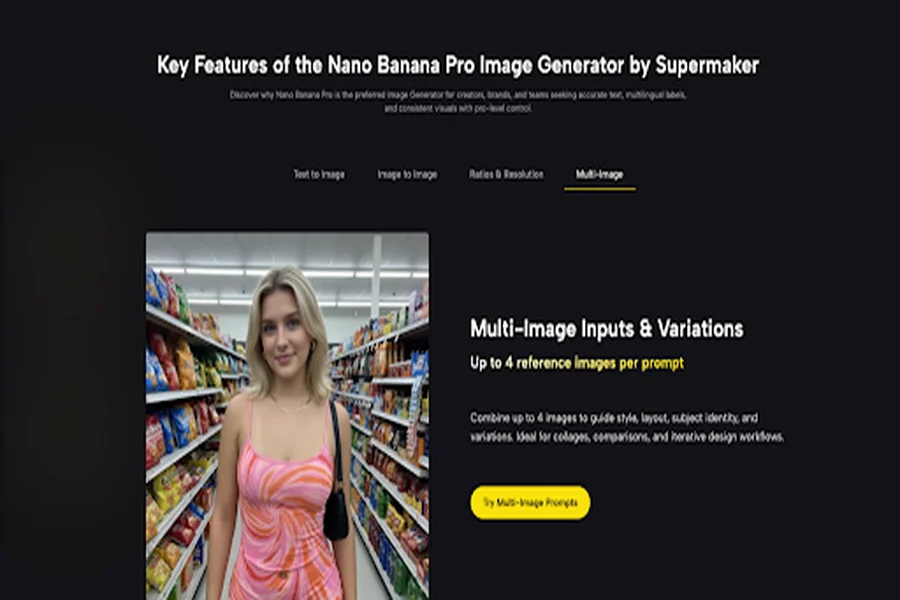
One of Nano Banana Pro’s most distinctive features is its ability to accept up to 4 reference images in a single prompt. This enables:
- Style anchoring — upload brand assets to keep color, typography, and visual identity consistent across a full image set
- Subject consistency — reference portraits or product shots to maintain recognizable identity across variations
- Layout guidance — use existing compositions as structural references for new generations
- Collage and combination workflows — blend multiple visual inputs into a unified output
Combine this with generating up to 4 images per run, and you have a variation workflow that covers most creative review cycles without ever leaving the platform.
Advanced Capabilities of Supermaker Nano Banana Pro
Reference Images and Style Consistency
Nano Banana Pro’s reference image system is designed for professional production workflows. By attaching reference images to your prompt, you steer the model toward specific materials, color grading, lighting conditions, and compositional patterns — without manual editing or tedious prompt engineering.
This is particularly useful for brand teams and content creators who need a consistent visual identity across large sets of images. Rather than describing your brand aesthetic in words and hoping the model interprets it correctly, you simply show it.
Layout, Text, and Typography Control
This is where Nano Banana Pro sets itself apart most clearly from general-purpose image generators. The model is specifically optimized for:
- Sharp, accurate text rendering including complex scripts and Asian characters
- Precise chart and data visualization output where numbers and labels are legible
- Annotation-ready layouts for educational diagrams, UI mockups, and technical illustrations
- Poster and slide design where text hierarchy and readability are non-negotiable
For content creators, marketers, and educators who regularly produce text-heavy visuals, this level of typographic control is a significant practical advantage.
Who Is Nano Banana Pro For?
- Content Creators and Social Media Managers
Generate vertical, square, and landscape assets from a single session. Accurate text means your post captions, overlay headlines, and carousel text look polished without any post-editing in external tools. Multiple aspect ratios mean you’re never reformatting the same image four times for four different platforms.
- Marketing and Brand Teams
Produce campaign hero images, landing page banners, and ad creatives with i18n-ready text and brand-consistent styling. Multi-image reference input keeps art direction locked across an entire campaign, even when generating dozens of variants.
- Educators and L&D Professionals
Nano Banana Pro’s text rendering and multilingual label support make it a practical tool for building diagrams, infographics, and bilingual slide visuals. Concepts that need to be communicated clearly across languages — without a design team bottleneck — can be produced directly from a prompt.
- Product Designers and Ecommerce Teams
Showcase products with realistic materials and lighting. Swap backgrounds, add props, and generate SKU variants at multiple aspect ratios with minimal manual cleanup. The image-to-image workflow is particularly efficient for iterating on existing product shots.
- Founders and Consultants
Build investor-ready decks and client presentations with clear data visuals and branded imagery. Multi-image prompts keep layouts consistent across every slide, and the 4K output pipeline ensures everything looks sharp in high-resolution presentations.
Final Thoughts
In 2026, the bar for AI image generation has risen significantly — but most tools still fall short when it comes to the details that matter most for professional content production: accurate in-image text, reliable style consistency across a series, and flexible output formats that fit real-world publishing requirements.
Nano Banana Pro addresses all three. With no registration required, a clean four-step workflow, and capabilities that hold up under the demands of real content production, it’s one of the most practical AI image tools available today — whether you’re a solo creator or a team shipping visuals at scale.

