
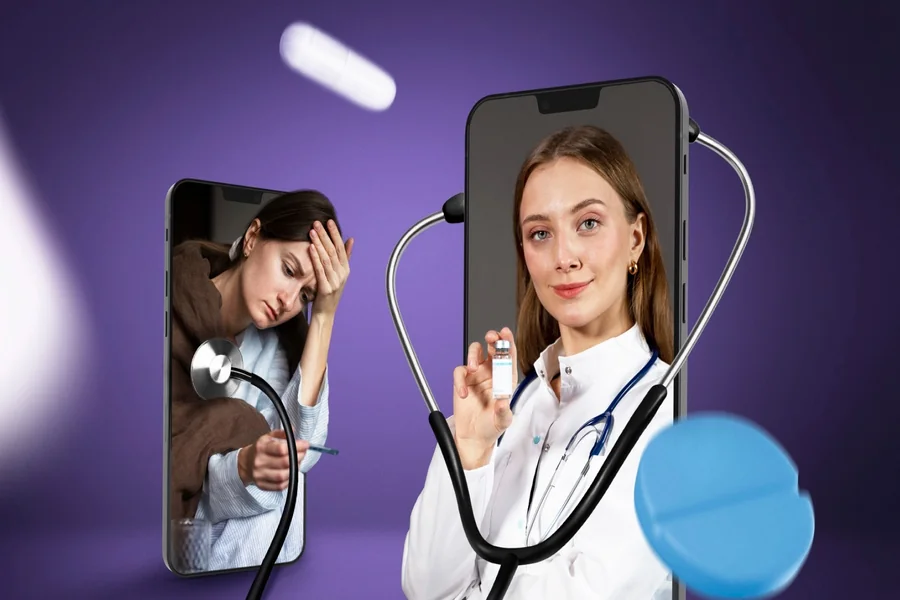
Healthcare apps demand smart choices from the start. That’s why developers apply specific design principles for healthcare app projects to protect sensitive patient info. Users share personal health details only when they feel secure. So, it’s imperative to put safety and understanding first when developing a tool for healthcare. This approach turns your app into a steady ally on their path to better health.
Finding the right team matters. A skilled web design company NJ knows how to blend aesthetics with strict compliance rules. They focus on clear layouts that help people find help quickly during stressful moments. Strong designs lead to healthier choices and loyal users. People return to apps that value their time and secrets.
Trust kicks in right at launch. A messy screen overwhelms, and tedious inputs bore them. Smart designers seize each touch as a trust-builder. This guide shares core rules for apps that patients and providers enjoy. Follow these, and your app becomes the go-to tool in medicine cabinets worldwide.
Security as a Design Choice
Privacy shows up front and center. It acts as a clear promise on screen. Users relax when they spot those signs. A skilled healthcare app development company weaves them into every view. Their team adds badges or plain talk about data use. This openness cuts worry and sparks real talks between patients and doctors. A US clinic app saw sharing rates double after adding “Your data stays here” icons.
Shape every button and field around data safety. Spell out why you need that detail. Ask for the location? Say it spots the closest clinic. These steps match top design principles for healthcare app rules. They turn rules into real help. Test this: users who understand “why” grant access 50% more often.
Privacy-First Interactions
Handle alerts with kid gloves. Skip medical facts on lock screens. Use vague prompts that nudge secure logins. This tweak guards dignity in crowds. It proves you put their privacy above easy access. One pregnancy app switched to “New update inside” notifications—complaints vanished.
Transparent Consent
Ditch dense legal walls. Chop terms into bullets. Add short headers that explain agreements. This honest base carries through the whole experience. Example: “We store your vitals • We never sell your name • Delete anytime.” Users skim, nod, and move on, feeling safe.
Prioritizing User Accessibility
Apps reach all kinds of users, from those with sight issues to those with shaky hands. Stick to inclusive rules so nobody gets sidelined. A good healthcare app development company stresses bold contrasts and reader-friendly setups. These rank as must-haves, not add-ons, for a big chunk of folks. In some countries, the law now mandates this to get ahead of the curve.
Design principles for healthcare apps call for big tap zones. Trembling fingers hit them easily. Pick bold fonts over skinny ones. Aim for use in chaos, like shaky crisis moments. Add swipe gestures for one-handed use during walks or commutes.
High Contrast and Legibility
Contrast counts big in health tools. Users check apps in glaring lights or dim rooms. Make text pop against backgrounds. Go with clean, sans-serif type for quick reads. This eases grasping urgent health notes. Tools like WAVE test ratios fast with the aim for 4.5:1 minimum.
Voice and Audio Support
Incorporate voice commands for those who cannot type easily. Audio feedback can also confirm that a task is complete. If a patient successfully schedules a surgery, a simple chime or a clear voice confirmation provides peace of mind. These small touches make the technology feel more human and supportive.
Streamlining Data Entry and Onboarding
People download healthcare apps to solve problems, not to fill out digital paperwork. Long forms are the enemy of a good user experience. You must break long processes into small, manageable steps. This reduces the mental load on the patient. This strategy is a core part of effective design principles for healthcare app creation.
A web design company in NJ shapes clever forms. Autofill and skips cut repeats. Shared your age? No re-ask. Each saved click keeps them hooked. Add character counters for insurance fields, as users hate surprises.
The Power of Progress Bars
Track steps with bars. They spark “almost there” vibes. No bar means endless loops. Stay visible to hold attention. Color them green at 75%, as psychological tricks boost completion by 20%.
Social Login and Biometrics
Let thumbs or faces unlock. Password hunts hurt when ill. Biometrics are secure without memory games. Entry feels smooth and open. Fallback to email OTPs for shared devices like family tablets.
Visual Clarity and Minimalist Hierarchy
A busy screen leads to a confused mind. In a medical context, confusion can lead to dangerous mistakes. You must use white space effectively to separate different sections. This visual breathing room helps the user focus on the most important task. Experts who follow design principles for healthcare app guidelines suggest a “one task per screen” rule.
Colors play a huge role in how a patient feels. Blue and green often create a sense of calm and professionalism. Avoid aggressive reds unless you are signaling a genuine emergency. A healthcare app development company might use a soft palette to reduce the user’s heart rate and stress levels.
Using Icons Wisely
Icons should support the text, not replace it. Not everyone knows what a stylized “heart” icon means in a medical app. Does it mean “favorites” or “cardiology”? Always pair your icons with clear labels. This ensures that the user never has to guess what a button does.
Consistent Navigation
Place menus in the same spot on every screen. Bottom navigation bars work best for mobile thumbs. Changing layouts disorients users. Fixed navigation builds confidence fast. Limit to 5 tabs: Home, Track, Meds, Chat, Profile.
Real-Time Feedback and System Status
Apps chat back fast. Button tap? Show spin. Quiet screams glitch. This loop fits the design principles for healthcare app basics. Custom loaders like “Checking your meds…” beat generic wheels.
Errors? Use everyday words. Skip codes. Say “Check Wi-Fi and retry” over fails. Add “Common fixes” dropdowns with screenshots.
Confirmation Messages
Always ask for confirmation before a user deletes a record or books an appointment. A simple pop-up can prevent a lot of stress. “Are you sure you want to cancel this doctor’s visit?” gives the user a chance to catch a mistake. This safety net builds a deeper level of trust.
Real-Time Chat Features
Patients often feel isolated when using a health app. Including a direct line to a professional or a support bot can change everything. A healthcare app development company knows that instant communication saves lives. It makes the app feel like a bridge to real care rather than a cold database.
Mobile-First Performance and Speed
Health emergencies can hit anywhere: bus, store, gym. So, the apps must load quickly on weak signals. A web design company NJ optimizes images and code to ensure peak performance. It ensures insulin checks can’t lag.
Speed serves needs over show. Ditch heavy effects. Light builds prove you get urgency. Compress avatars to 20KB max.
Offline Functionality
What happens when the user loses their signal? A good healthcare app allows users to view their basic medical ID or recent prescriptions offline. This saves lives in dead zones. Key info stays accessible, and sync icons light up when the connection returns.
Battery Optimization
Background tracking drains batteries. Write efficient code to preserve power. Dead phones create health risks. Show “Low power mode” toggles clearly.
Conclusion
Creating a successful healthcare application requires a mix of empathy and technical skill. You must look past the code and see the human on the other side of the screen. By following established design principles for healthcare app development, you create a tool that improves lives.
Focus on simplicity and absolute transparency. Use colors that soothe and layouts that guide. When you prioritize the patient’s peace of mind, the business results will follow. A great app does not just provide data; it provides comfort and clarity in a complicated world.
