
AR glasses work by placing digital images in front of your eyes while letting you keep seeing the real world around you. Instead of blocking your view like a traditional VR headset, they use compact displays, optical layers, and connected devices to create a wearable screen that feels anchored in your field of vision. This lets you watch videos, check information, play games, or view productivity tools without constantly looking down at a phone, tablet, or monitor. For beginners, the core idea is simple: AR glasses combine image projection, motion awareness, and user controls in a lightweight frame. Once you understand those parts, it becomes much easier to see how AR glasses turn everyday surroundings into a more interactive and flexible digital viewing space.
What Are AR Glasses and How Do They Work?
What Are AR Glasses and What Can They Do?
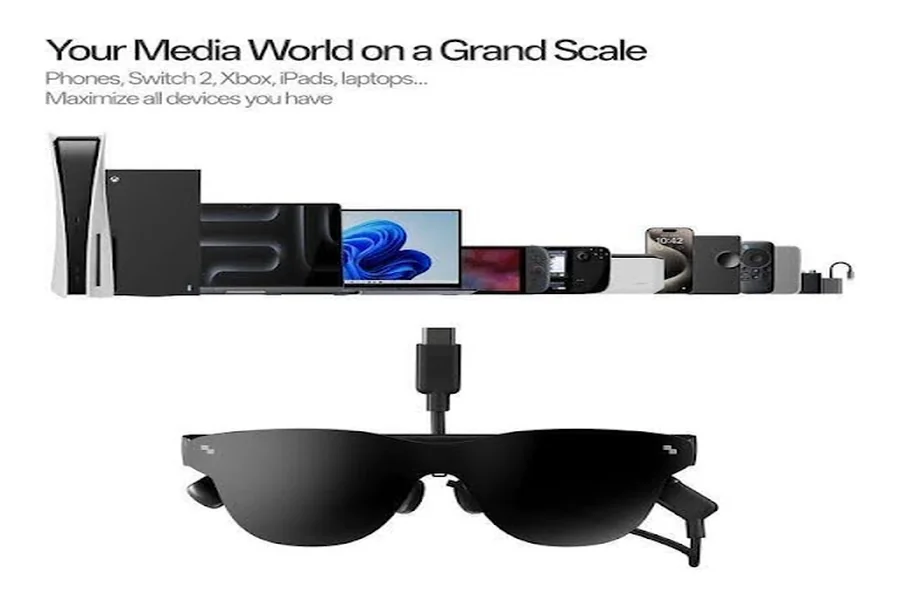
AR glasses are wearable devices that add digital content to what you already see, usually through transparent or birdbath-style optics built into eyeglass-like frames. Depending on the model, they can act as a large private screen for entertainment, a portable display for work, or a smart viewing device for apps and interactive content. Many connect to phones, tablets, handheld gaming systems, or computers through a wired or compatible interface, then mirror or extend what is on that source device. In practical use, AR glasses can show movies, games, documents, navigation cues, and notifications. Their main advantage is convenience: they bring a screen close to your eyes without forcing you to hold a device all the time.
How AR Glasses Display Digital Images in Your View
AR glasses display digital images by sending video from a connected device to very small screens inside the frame, then guiding that light through optical components toward your eyes. Instead of projecting a picture onto the world itself, many consumer AR glasses create the effect of a floating virtual screen that appears several feet away. Lenses, mirrors, or waveguide-style elements shape the image so it stays comfortable to view and centered in your line of sight. Because the displays sit close to your eyes, the glasses can make a relatively small panel look like a much larger screen. Brightness, contrast, and color tuning also help the image remain vivid and readable during normal daily use.
The Key Technologies Behind AR Glasses
Display Systems, Optics, and Virtual Screens
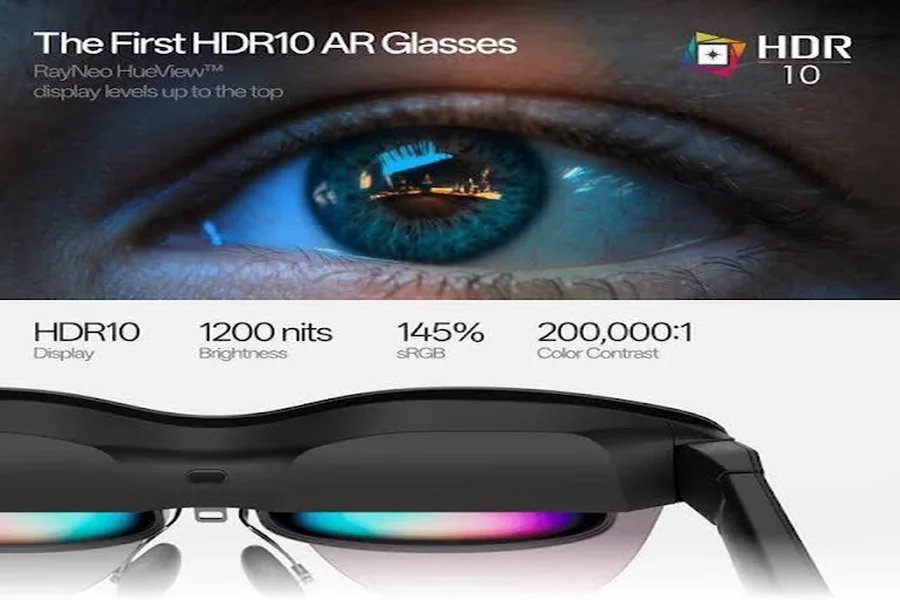
The display system is the heart of ar glasses. It usually combines a micro-display, optical engine, and lens structure that enlarges the image into a virtual screen. In the RayNeo Air 4 Pro AR Glasses, a 0.6-inch SeeYa Micro-OLED panel creates a 201-inch virtual display with Full HD resolution, up to 120Hz refresh rate, 1,200 nits brightness, HDR10 support, and a 200,000:1 contrast ratio. Color performance also matters, which is why specs such as 98% DCI-P3, 145% sRGB, and Delta E below 2 are meaningful for movies and visual work. Features like native 3D, AI 2D-to-3D conversion, and multiple display modes further tailor the viewing experience for different content.
Sensors, Tracking, and Device Connectivity
AR glasses also rely on sensors and connection systems to feel responsive and practical. Basic motion sensing can help the image stay stable as you move, while the connected source device handles much of the processing, app support, and content playback. This is why many AR glasses stay lighter than full standalone headsets. Connectivity often involves a direct cable connection for power and video, giving a simple plug-and-play experience with compatible devices. Usability features matter too: on-device brightness and volume controls make quick adjustments easier, and app support can unlock more settings. Comfort technology also supports longer sessions, including low blue light certification, flicker-free viewing, adjustable fit parts, and prescription lens compatibility.
How to Use AR Glasses in Everyday Life
Watching Movies, Gaming, and Working with AR Glasses
AR glasses fit easily into daily routines because they function like a personal screen you can wear almost anywhere. For movies and shows, they create a cinema-like view without needing a TV or monitor. For gaming, the close-up display and smooth refresh rate can make handheld or mobile play feel larger and more immersive. For work, they can provide a portable second screen for documents, presentations, or focused tasks while traveling. Audio features also shape the experience, especially when built-in speakers support clearer directionality and more private listening. The biggest everyday benefit is flexibility: one lightweight device can handle entertainment, casual productivity, and travel-friendly viewing without taking up much space in a bag.
Getting Started with RayNeo AR Glasses
Getting started with RayNeo AR glasses is straightforward. Connect the glasses to a compatible device, put them on, and adjust the nose pads and flexible temples until the image sits comfortably in view. The RayNeo Air 4 Pro keeps this process approachable with a light 76g frame, 20 levels of brightness control, on-device volume control, and viewing presets such as Standard, Game, Movie, Eye Protection, Professional, and Vision Boost. Bang & Olufsen audio tuning, a quad-speaker system, immersive spatial sound, and Whisper Mode support both fuller sound and more private listening. If needed, users can add prescription lenses and manage settings through the RayNeo Air Series app for a more personalized setup.
Conclusion
AR glasses work by combining tiny high-quality displays, optical elements, motion-aware hardware, and connected-device support into a wearable screen that stays in front of your eyes. That mix allows them to show digital visuals clearly while keeping the experience lightweight and practical for daily use. For most beginners, the easiest way to understand them is to think of them as smart glasses that turn video, games, and work content into a large virtual display. Once the display system, sensors, and connectivity are in place, the result feels simple: plug in, wear them, and view content in a more flexible way. If you want portable entertainment or a travel-friendly screen, AR glasses offer a direct and useful answer to that need.