
AR glasses can help you stay productive on the go by putting useful information in your line of sight, reducing phone checks, and making short work sessions easier in more places. For mobile professionals, commuters, and frequent travelers, that means less friction when reviewing notes, following notifications, checking schedules, or handling quick tasks between stops. They are especially helpful when you need a lightweight setup instead of carrying a laptop stand or external monitor. The biggest advantage is convenience: digital content appears where you can see it without constantly shifting attention between devices. Used well, AR glasses support focus, smoother multitasking, and faster access to the tools you need. They are not a replacement for every workstation, but they can meaningfully improve mobile productivity.
How AR Glasses Support Mobile Productivity
Virtual Screens for Work Anywhere
One of the clearest productivity benefits of AR glasses is the ability to view a virtual screen almost anywhere. That makes it easier to read messages, check task lists, review meeting notes, or follow prompts while standing in a line, sitting in an airport, or moving between appointments. Instead of pulling out a phone every few minutes, you can keep key information visible and stay in flow. This approach works especially well for short, focused tasks that do not require a full desk setup. A wearable display also helps reduce the small interruptions that break concentration during travel. When information stays accessible in your field of view, it becomes simpler to work efficiently in spaces where traditional screens feel inconvenient.
Multitasking Without a Bulky Monitor
AR glasses can also make multitasking more practical when you are working away from a desk. You might track navigation, view reminders, monitor incoming notifications, and reference talking points without juggling multiple devices in your hands. That matters when your backpack is already full and carrying a portable monitor is unrealistic. For mobile workflows, efficiency often depends on reducing setup time and physical clutter. ar glasses support that by keeping essential information accessible in a lightweight format. They are useful for sales professionals moving between meetings, remote workers changing locations during the day, and anyone who needs a second screen experience without extra hardware. In many cases, the gain is not raw computing power but smoother task switching with less disruption.
Best Ways to Use AR Glasses on the Go
Working While Traveling or Commuting
Travel and commuting often create small pockets of usable time, and AR glasses can help turn those moments into productive sessions. You can review your calendar before arrival, check translated text in unfamiliar environments, capture reminders hands-free, or glance at urgent notifications without stopping to unlock your phone. This is especially helpful in airports, train stations, and rideshare transfers where speed and awareness matter. Because the display stays near your natural line of sight, it is easier to keep moving while staying informed. AR glasses are most effective here for light tasks rather than deep project work. Used during travel, they can help you prepare for meetings, stay organized, and reduce the friction that usually comes with working between locations.
Managing Tasks, Presentations, and Entertainment
On the go, productivity is not only about work documents. It also includes managing task lists, rehearsing presentations, staying on top of messages, and using downtime well. AR glasses can support quick presentation review before a client meeting, discreet note checking during a transition, and better control over your day when schedules shift unexpectedly. They also help balance productivity with recovery by making it easy to switch from task management to entertainment during breaks. That can mean watching content during a flight, then returning to work prompts when needed, all without constantly changing devices. For many users, the real value is flexibility. AR glasses create a smoother bridge between work, planning, and personal downtime while away from a fixed workspace.
How to Choose AR Glasses for Your Mobile Workflow
Compare Display Quality and Productivity Features
If your goal is mobile productivity, start by comparing display clarity, comfort, battery life, and input options. A bright display matters for visibility in changing environments, while low weight matters if you plan to wear the glasses for long stretches. Transparency is also important because it affects how easily you can stay aware of your surroundings while viewing digital content. Look for features that match real work habits, such as notifications, translation, note support, voice control, and reliable wireless connectivity. Input methods can make a big difference during travel, especially when your hands are occupied. Eye comfort certifications are also worth checking if you expect frequent daily use. The best AR glasses for work should reduce friction, not add complexity to your routine.
Explore RayNeo AR Glasses for On-the-Go Work
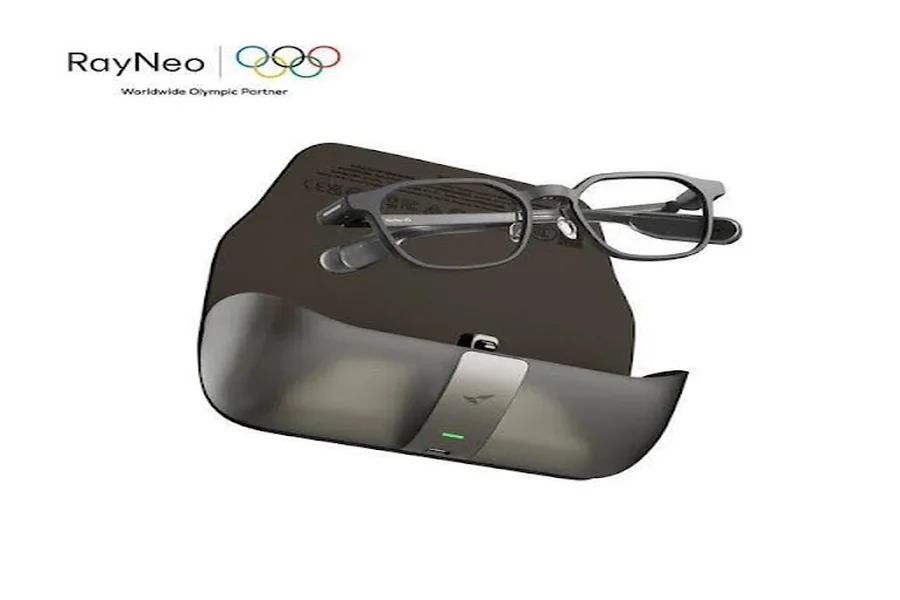
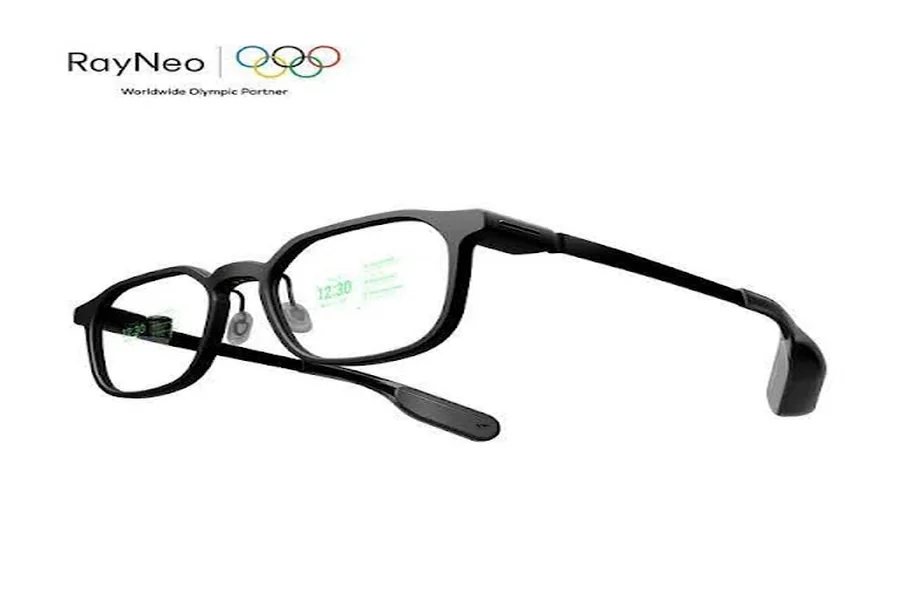
For users focused on lightweight, everyday productivity, RayNeo iO Smart Glasses fit mobile work well. They use a 33-inch invisible AI display that stays transparent in your view, helping you access translation, notes, notifications, and everyday assistance without reaching for your phone. The glasses weigh 33g, offer 97% active display transparency, and use binocular MicroLED with a diffractive waveguide for a bright eye-level image up to 1300 nits. Practical controls include a smart crown, voice input, and head gesture input, supported by Bluetooth 5.4 connectivity. Their battery is rated for up to 2 days of typical usage. With IP54 dust and water resistance, low blue light and flicker-free certification, and a privacy-focused design, they suit frequent movement and daily wear.
Conclusion
Yes, AR glasses can help you stay productive on the go, especially when your work depends on quick access to information, light multitasking, and a portable setup. Their main strength is reducing friction: fewer phone checks, faster reference to notes and notifications, and easier use of short work windows during travel or commuting. They are most useful for mobile professionals who need convenience, awareness, and flexibility rather than a full desktop replacement. Choosing the right pair comes down to display quality, comfort, battery life, and practical productivity features that fit your routine. When those elements align, AR glasses become more than a novelty. They become a useful part of a mobile workflow that helps you stay organized, responsive, and efficient wherever the day takes you.