
For the better part of the last two years, the conversation around generative media has been dominated by the “wow” factor of initial generation. We’ve seen countless demos of prompts turning into hyper-realistic landscapes or surrealist digital art. But for those working in creative operations—the designers, editors, and marketing managers tasked with delivering high-stakes campaign assets—the initial generation is rarely the finish line. In fact, it’s usually just the beginning of a messy, iterative process.
The industry is currently shifting away from the novelty of prompt-based creation toward a more disciplined focus on “finishing.” In professional workflows, a raw AI output is often just a high-fidelity sketch. It contains artifacts, inconsistent lighting, or distracting background elements that would never pass a brand’s quality control. This is where the utility of a professional AI Photo Editor becomes the linchpin of the modern creative stack. Instead of viewing AI as a replacement for the creative process, lead designers are treating it as a specialized tool for salvaging, refining, and scaling assets that were previously too expensive or time-consuming to fix.
The Gap Between Generation and Delivery
The friction in most AI-assisted workflows occurs in the “last mile.” A performance marketer might generate a striking hero image for a social ad, only to realize the AI-generated model has six fingers or that the background contains a nonsensical architectural structure that distracts from the product. In a traditional workflow, this image might be discarded. In a modern creative ops pipeline, the designer pulls that asset into an AI Photo Editor to perform targeted surgery.
The reality of production is that a single generation is rarely perfect. Designers frequently deal with “digital noise”—the subtle, unwanted textures that generative models often leave behind. Bridging the gap between a raw concept and a delivery-ready file requires more than just better prompting; it requires a suite of manipulation tools that can erase, replace, and relight specific components of an image without destroying the composition. This move from “generation” to “curation and correction” is what distinguishes amateur AI use from professional creative operations.
Strategic Asset Localization and the Face-Swap Utility
One of the most significant bottlenecks in global marketing is localization. Traditionally, if a brand wanted to launch a campaign in five different geographical markets, they had two choices: run a single, generic campaign that might lack cultural resonance, or fund five separate photoshoots with local talent and settings. The latter is often cost-prohibitive for all but the largest enterprise brands.
Creative teams are now using AI Photo Editor tools to solve this through strategic asset manipulation. By utilizing high-fidelity face-swap features and background replacement, a single high-quality production shot can be localized for multiple regions. A hero image shot in a London studio can have its background swapped for a Singaporean cityscape, and the talent can be subtly adjusted to reflect the demographic of the target market.
However, there is a necessary moment of caution here. While the technology for localized face-swapping has reached a point of high visual fidelity, the ethical and brand-safety implications are still evolving. There is a legitimate uncertainty regarding how different markets perceive AI-modified talent. We cannot yet conclude that “fixing it in post-AI” is a perfect substitute for authentic local photography in every scenario, particularly for brands where raw authenticity is a core value. For high-volume performance marketing and landing-page support, however, the efficiency gains are undeniable.
Pre-Visualization to High-Res: The Scaling Problem
Social media assets are relatively forgiving. A 1080×1080 pixel Instagram post can hide a multitude of AI sins. But as soon as that asset needs to live on a high-resolution landing page or, more demandingly, in a print format, the technical requirements skyrocket. Most base generative models still output images at resolutions that are insufficient for large-format displays or professional print.
This scaling problem is where tactical tools like upscalers and object erasers prove their worth. An AI Photo Editor allows a designer to take a low-resolution concept and “hallucinate” the missing detail required for a 4K display. This isn’t just about making the image larger; it’s about cleaning the artifacts that become visible at scale.
When an image is upscaled, the AI often reveals flaws that were hidden at lower resolutions—strange pixel clusters or “ghost” objects in the background. Using an object eraser to surgically remove these hallucinations is a standard part of the finishing workflow. For teams using PicEditor AI, the ability to stay within a single environment—moving from a text-to-image generation using models like Flux or Nano Banana directly into a high-res editor—drastically reduces the “software ping-pong” that typically slows down production.

Limits of the Tooling: Where Human Intervention Remains Non-Negotiable
Despite the rapid advancement of these tools, we must reset expectations regarding full automation. There is a persistent myth that AI will eventually remove the need for a “creative eye.” In practice, the opposite is often true: as the volume of generated content increases, the need for a human to prevent “uncanny valley” results becomes more critical.
There are three specific areas where AI still frequently fails in a production environment:
- Brand Typography: AI models are notoriously poor at handling specific brand fonts, kerning, and hierarchy. Any asset requiring precise text integration still necessitates a manual hand-off to software like Illustrator or Photoshop.
- Complex Anatomy: While models have improved, complex interactions—such as a hand holding a specific branded product—often result in warped geometry.
- Strategic Intent: An AI can follow a prompt, but it doesn’t understand the “why” behind a creative brief. It doesn’t know that a specific shadow needs to be softer to evoke a “premium” feel versus a “sporty” one.
Acknowledging these limitations is vital for any team looking to integrate a Pic Editor AI into their workflow. It is an assistant for execution, not a replacement for strategy. Knowing when to stop applying AI filters is a skill in itself; over-editing can lead to a plastic, “AI-feeling” texture that can actually alienate sophisticated audiences.
Operationalizing AI in High-Pressure Creative Teams
For creative leads, the goal is to shift the team’s mindset from a “boutique agency” approach to a “creative operations” model. This means prioritizing speed, repeatability, and asset modularity. Instead of treating every image as a unique piece of art, assets are viewed as components that can be disassembled and reassembled.
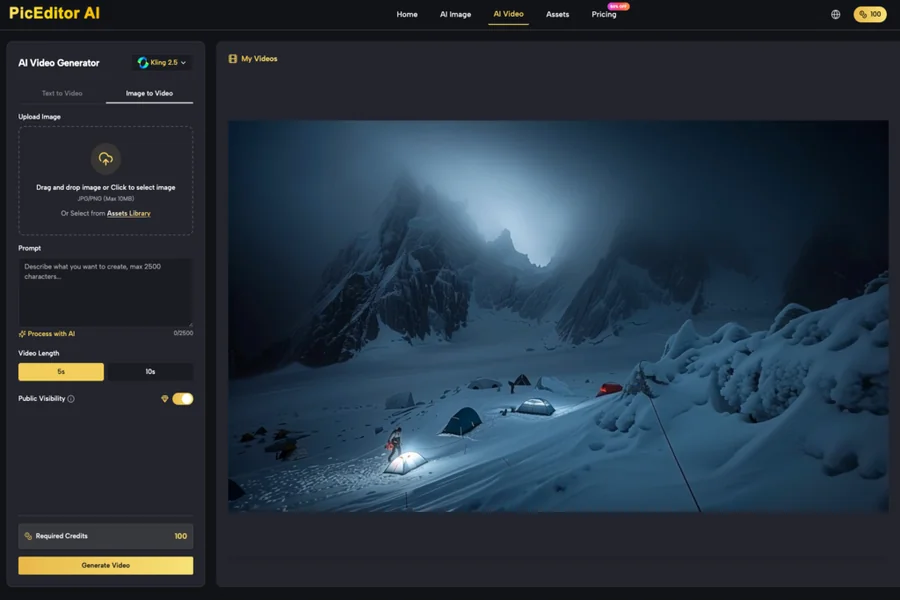
When evaluating a toolset for this purpose, the focus should be on model variety and integrated workflows. A platform like PicEditor AI is valuable because it provides access to various specialized models—such as Seedream for high-end aesthetics or Kling for video—within the same ecosystem as the AI Photo Editor. This allows for a more fluid movement of assets. For instance, a static image generated for a landing page can be cleaned up in the editor and then passed directly to an image-to-video tool for a supporting social clip.
Success in this new era of production isn’t defined by who has the best prompts. It’s defined by who has the most efficient pipeline for refining those outputs into professional-grade media. By focusing on the “finishing” stage—cleaning, localizing, and scaling—creative teams can finally move AI out of the experimental sandbox and into the heart of their production engines. The future of creative ops isn’t about the “one-click” masterpiece; it’s about the precision tools that allow designers to turn a raw AI generation into a polished, brand-compliant asset in a fraction of the traditional time.

