
Music creation used to have a clear barrier: either you knew how to compose, arrange, sing, mix, and export, or you had to work with someone who did. That barrier is getting thinner. The rise of text-driven creative tools has pushed many people to ask a practical question: can an AI Song Generator turn a rough idea into something usable enough for videos, podcasts, games, demos, or personal projects?
I approached BrandName AI from that practical angle, not as a replacement for a trained producer, but as a tool for people who need music faster than a traditional workflow allows. The official site presents it as an AI music and song creation platform where users describe a musical idea, generate a track, and then preview or use the result. It also connects song generation with related tools such as lyrics generation, vocal removal, song extension, cover song creation, stem splitting, and audio conversion.
That broader toolset matters because most creators do not only need “a song.” They often need a background track, a lyric draft, an instrumental version, a longer variation, or a cleaner piece of audio for a specific project. The more interesting question is not whether the platform sounds magical, but whether its workflow is clear enough for real creative use.
A Practical Testing Frame For Song Creation
The most useful way to judge an AI song platform is not by asking whether it can create music at all. Many tools can now do that. The better test is whether the user can move from a vague creative need to a usable musical direction without getting lost in production language.
For this review-style look, I focused on four practical questions: how easy it is to describe a song idea, how much control the workflow appears to provide, how the platform supports lyrics and instrumentals, and whether the surrounding audio tools make sense for real creator scenarios.
Testing Tasks That Reflect Real Creators
A fair test should begin with normal user needs rather than studio-perfect expectations. A YouTube creator may want an upbeat intro. A game developer may need a looping atmosphere. A small brand may need a short promotional song idea. A songwriter may only need a first draft to escape a blank page.
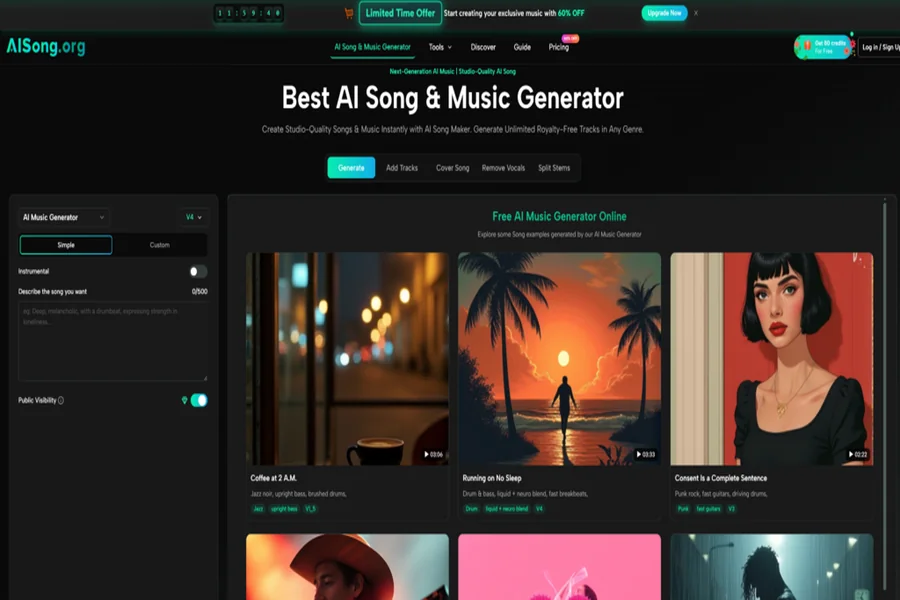
From a practical user perspective, BrandName AI appears designed for this kind of early-to-mid creative stage. The homepage and generator experience emphasize describing the desired music, choosing between simpler and more customized creation paths, working with lyrics, and deciding whether a track should be instrumental. That makes the tool feel more like a guided creative workspace than a blank audio production program.
The Main Evaluation Standard
The strongest standard here is workflow clarity. A music tool can have many options, but if a beginner does not know what to do first, the experience fails. BrandName AI’s visible structure helps reduce that problem by making the first action simple: describe the song you want, then generate and review the result.
How The Official Workflow Actually Works
The official flow is built around a direct idea-to-song process. It does not ask the user to begin with music theory, chord progressions, or arrangement software. Instead, it starts with language.
Step One Describe The Song Direction
The first step is to write what kind of music you want. This may include genre, mood, lyrics, theme, rhythm, vocal direction, or whether the result should be instrumental. The platform’s generator interface shows that users can work with simple or custom creation modes, and it also includes an instrumental option.
Why This Step Matters Most
This is where the quality of the prompt matters. A vague request may still produce something, but a more specific description usually gives the system a clearer target. For example, “soft acoustic background music for a calm travel video” gives more usable direction than “make a nice song.” The platform lowers the entry barrier, but it does not remove the need for creative judgment.
Step Two Generate The Music Result
After the user enters the song idea, the generation step creates the musical output based on the provided direction. The official page presents the process as AI-assisted creation of songs, music, lyrics, and instrumental content depending on the user’s chosen input and settings.
What The User Should Expect
The result may vary depending on how clearly the user describes the style, mood, and intended use. In my testing mindset, this is best treated as a draft-generation stage rather than a guaranteed final master. The practical value is speed: users can move from concept to a listenable direction without building the composition manually.
Step Three Preview And Refine Usage
Once a result is generated, the user can listen and decide whether it fits the project. The site also presents related tools that may support the next step, such as extending a song, removing vocals, splitting stems, converting audio formats, or generating lyrics.
Where Refinement Becomes Useful
This is important because creative work rarely ends with the first output. A short song may need a longer version. A vocal track may need an instrumental backing. A lyric idea may need a stronger chorus. The surrounding tools suggest that BrandName AI is trying to support a broader music-making process rather than only a one-click novelty.
Where The Tool Feels Most Useful
The platform is strongest when the user has a clear content need but does not want to open a full digital audio workstation. That includes creators who know the emotional purpose of a track but do not have the time, budget, or production skill to build it from scratch.
For video creators, the appeal is straightforward. A short intro, background cue, or mood-based track can help shape the pacing of a video. For podcasters, an opening theme or transition sound can make an episode feel more polished. For indie game makers, genre and mood prompts can help explore early audio directions before committing to a professional soundtrack.
The AI Song Maker angle becomes more convincing when viewed as a creative sketchpad. It is not just about pushing a button and accepting whatever comes out. It is about testing whether an idea works musically before spending more time on it.
Lyrics And Instrumentals Add Real Flexibility
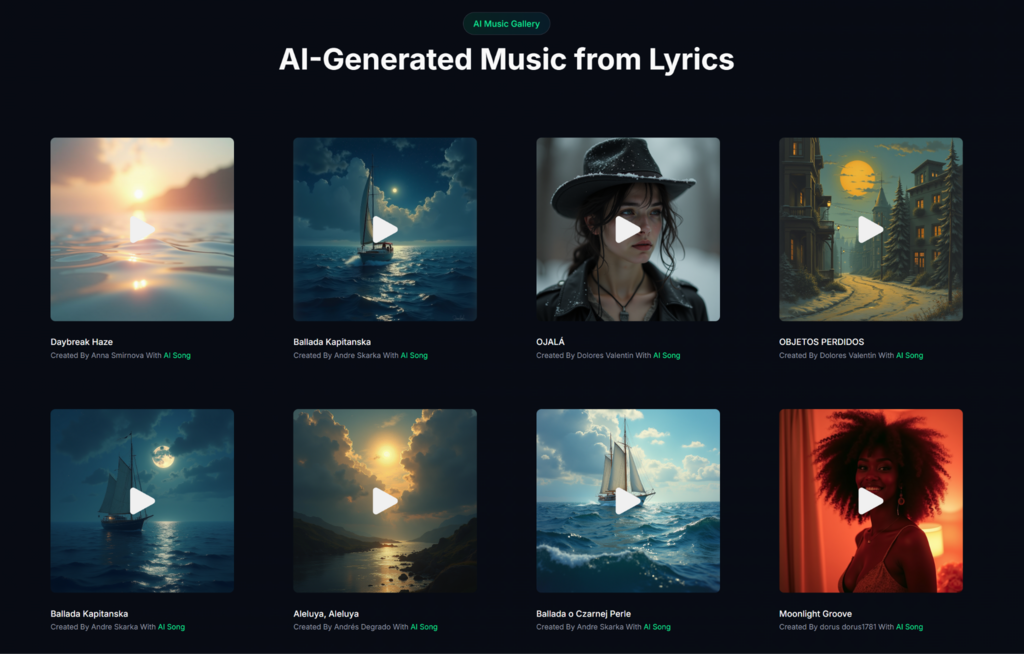
One useful detail on the official site is that the platform is not limited to a single type of input. It includes lyrics-related creation and also supports instrumental direction. That matters because different users arrive with different starting points.
A songwriter may already have lyrics but need a musical setting. A video editor may not want vocals at all. A marketer may want a song idea that matches a campaign tone. These are different jobs, and a single rigid generator would feel limiting. The presence of lyrics tools, instrumental options, and song extension makes the platform more adaptable.
Best Fit For Early Creative Decisions
The platform appears especially useful when the goal is exploration. It can help users compare moods, test lyrical directions, and generate musical drafts without a long setup. That does not mean every result will be final-ready, but it can shorten the distance between idea and evaluation.
Comparison Against Common Music Workflows
A useful comparison is not between BrandName AI and a professional studio. That would be unfair and unrealistic. The better comparison is between several ways a creator might get music for a project.
| Workflow Type | Creation Barrier | Creative Control | Best Use Case | Learning Cost | Practical Limitation |
| BrandName AI | Low | Medium | Fast song drafts, lyrics-based music, creator projects | Low | Results depend heavily on input clarity |
| Stock Music Library | Low | Low | Finding ready-made background tracks | Low | Hard to get a unique song direction |
| Traditional DAW Production | High | High | Professional composition and mixing | High | Requires skill, time, and production knowledge |
| Hiring A Music Producer | Medium to High | High | Custom commercial music | Medium | More expensive and slower to iterate |
| Basic Lyrics Generator | Low | Low to Medium | Drafting words only | Low | Does not solve melody or arrangement |
This table shows where the platform fits best. It is not the deepest production route, but it is more flexible than simply downloading stock music and more approachable than learning a full production workflow from zero.
Realistic Limits Users Should Understand
A responsible review should not pretend that AI music generation is perfect. The official workflow makes song creation more accessible, but the result still depends on the user’s prompt, the chosen style, and how complex the request is.
Prompt Quality Still Shapes The Output
If the user asks for a broad or contradictory song idea, the result may feel generic or inconsistent. A request that includes mood, genre, use case, and lyrical direction will usually be easier for the system to interpret than a one-line instruction.
Complex Ideas May Need Iteration
Some creative briefs are naturally harder. A song that needs a very specific emotional arc, unusual genre fusion, precise lyric structure, or highly controlled vocal identity may require multiple attempts. From a practical user perspective, this is normal for AI-assisted creation: the first result is often a starting point, not the final destination.
AI Output Should Be Reviewed Carefully
Users should listen critically before using a generated track in public work. Even when the platform helps create music quickly, creators still need to judge whether the mood fits, whether the lyrics make sense, whether the arrangement supports the project, and whether the final result matches the intended audience.
That review step is not a weakness. It is part of any creative process. The real value is that the platform gives users something to react to quickly.
Who Should Consider This Music Workflow
BrandName AI makes the most sense for creators who need practical music output but do not want to start with a blank production timeline. It is useful for video creators, social media editors, podcasters, small teams, indie developers, lyric writers, and anyone who needs to test musical ideas quickly.
It is less ideal for users who require full manual control over every note, vocal performance, mix decision, and mastering detail. Those users may still prefer professional software or human collaboration. But for people who need a fast, understandable, idea-driven music workflow, the platform offers a clear path: describe the song, generate a result, listen critically, and refine the direction with supporting tools when needed.
The most honest way to view it is as a bridge. It does not remove creativity from the user. It gives non-producers a way to start making musical decisions earlier, with fewer technical obstacles and more room to experiment before committing to a final sound.

